Best Of
Restore "Hamburger" Menu on Card Details Page
I recently noticed that "Hamburger" dashboard menu is no longer visible from the Card Details page. So now to navigate to a different dashboard I need to click either the Dashboard name in the breadcrumb trail or the "Dashboard" header to be able to see the full dashboard list.


Resizing cards within App Studio
When resizing pages on tabs within App Studio you can end up with really large cards at the bottom.
This is due to using a tab container and that has a minimum height depending on how the cards are setup in different tabs. If the second/third tab have a greater number of cards and has a larger height, the first tab will also need to maintain that minimum height. The way this can mitigated right now is to use a spacer so it can show up smaller or change the height of content on other tabs.
The challenge with adding a spacer is you can do some shrinking, but overall it appears it is looking at the size of the largest page/tab. The problem is when have multiple pages too large, you can't really shrink them all, thus you are left with multiple pages that have a lot of extra scrolling. Ideally, each page on a tab would be independent of any size set on another tab.
 user031170
Export on cards with embedded Domo Everywhere App Studio
I know there's been some back and forth on whether exporting the entire app page is a viable solution with new tabbed experiences, custom bricks, etc, but the lack of any sort of export on standard domo visualizations and tables is a massive hinderance to adoption for anyone expecting to use app studio as an embedded analytics solution.
Currently with embed, there are no options to enable to disable exporting or even to disable the expansion of cards (which should be an option, when expanding a card you lose all the themes inside of app studio). I think this should be the top priority as the next update to app studio, even before publish functionality.

Some negative impacts of the new feature merged beastmode
Hi all,
Recently there is a newly added Domo feature where the 'Merged from datasource..." beast modes will be created when cards that are using the beast modes are moved to a new DataSet.
But we found that this new feature has an effect on the previous data source as well : domo will rename all the beastmodes merged previously (as "name + merged from xxxx") even if we have already adapted their name before and generated automatically another beastmode with the origin name... I understand that this feature allows the future merged cards to still render without errors, but it does make it more difficult from a governance standpoint for the previous merged cards.
As far as I know, we don't have a way to avoid this behavior, so we have to archive/rename all the beastmodes affected as necessary. But we really wish there will have an option to disable this behavior because il will cause us to waste time in some cases.
Thanks for your help,
Yinchuan
 yinchuanmo
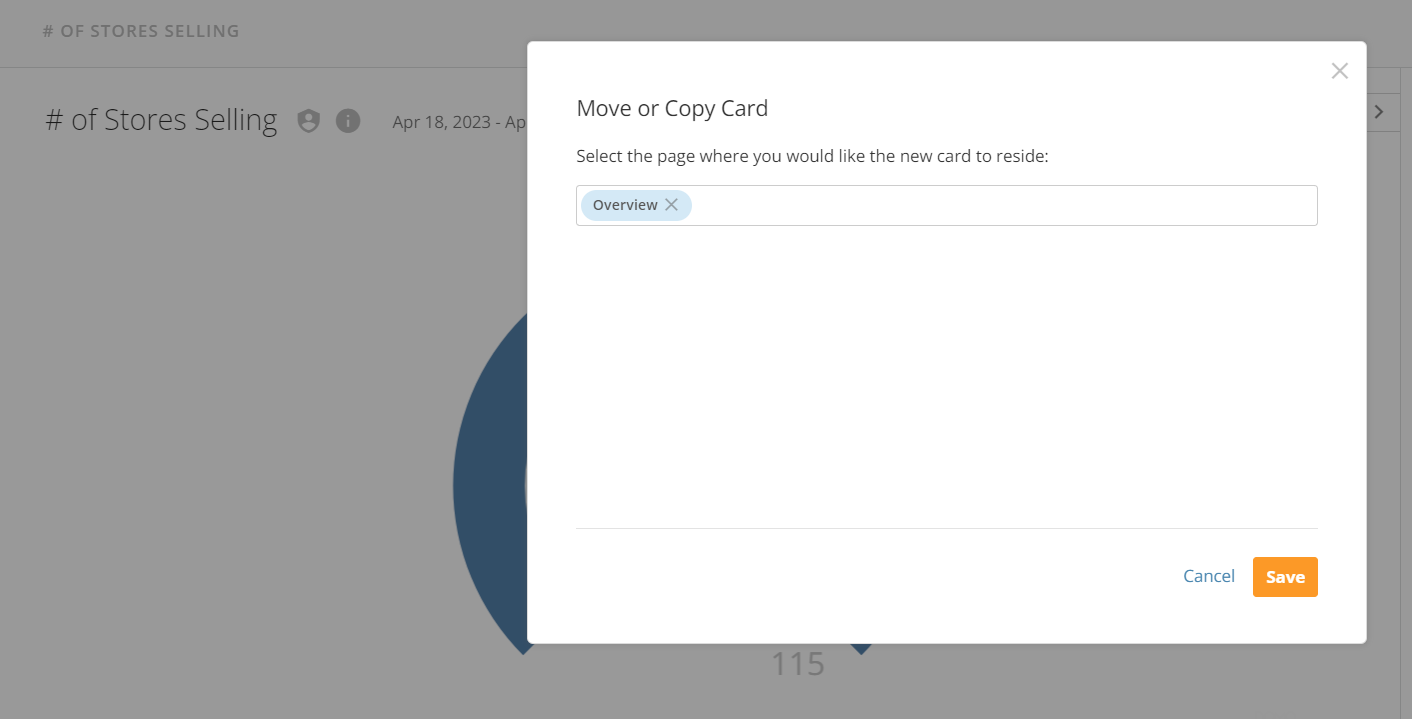
App Studio - Move/Copy Card Functionality
I love that in the Admin > Cards area it now shows "Dashboards and App Pages" for card locations.
A further "nice to have" enhancement would be to see the App title listed under Move/Copy when looking at a cards settings.
In this example- I know this particular card is both in my overview and on our Analytics Hub app. However, when I select Move/Copy on that card, it only shows my overview.
This is potentially a user problem more than a functionality problem but sometimes whether during maintenance, decommissioning old content, or reviewing content- we will reference the move/copy section to quickly determine impact on the users. If we looked here without checking the admin side, we could potentially be leaving content in an app that we intended to remove, OR deleting content thinking it may just be in my personal overview and not existing in an app page.
(example attached)
Thanks for reading that long winded explanation! Haha
I hope your coffees were perfectly crafted today!

Year Over Year cards Leap year issue
YoY cards cards where Year to date is the range set for the card do not calculate prior year totals and hence yoy changes correctly until the month is complete. Since a year is assumed as 365 days for YOY cards, the leap year throws off the comparison to prior years until the month is complete. We are relying on mid month stats very heavily, so having correct comparative numbers is crucial. A fix for Leap years needs to be developed to overcome this issue. Please up vote this.
 SEC
Delete/Edit Cards in Bulk based on "Last Viewed" Filter
For admins, it would be great to be able to sort cards by the time they were "Last Viewed" and select them in bulk to either edit or delete them all at once.
We have thousands of unused cards but there is no easy way to filter them based on the last time they were viewed, which is a field/tracker already built in Domo. This would be perfect in MORE -> ADMIN -> CARDS, then have an extra column showing when the card was last viewed and be able to filter it like the other fields in this screen.
Seems like it should be such a simple feature to add but would help a TON with basic data maintenance and keeping our org clean and more organized.
 duncan7g
DomoStats dataset - DomoEverywhere subscriber instances
I would like a DomoStats dataset listing all my Domo Everywhere subscriber instances/organizations. We can see the list of instances in the UI but can't export them. We can extrapolate a list of instances from other governance datasets (like activity logs), but this would only capture instances with data in those datasets. This would be useful for ensuring that the correct instances are active and filtering governance datasets to data from currently active instances.
 akeating
Allow sorting of quick filters
Currently, we have many academic years in some reports but usually need to sort by the newest. However, all the order academic years are at the top of the filter and we need to scroll down the filter to get the current year.
Having the ability to sort this so the data currently on the bottom would be on the top would be extrememly helpful and help efficiancy.

ETL snap to grid
I like to keep very neat or orderly ETLs. Would love the ability to align ETL tiles horizontally or vertically or snap to grid or something. I think that would help keep a clean workstation.