Best Of
Re: NetSuite Dashboards
@JesK it's definitely possible to embed Domo into NetSuite. Here's a tutorial I did on it:
 ellibot
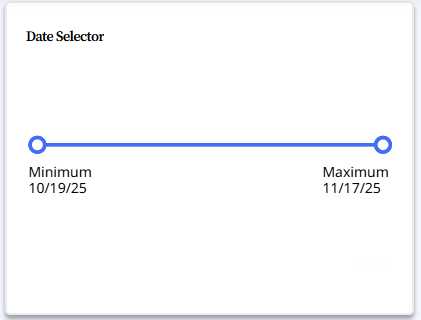
Range selector not working in touch/mobile screen
We are using the range selector in web view with mouse it works fine, but when it comes to touch or mobile screen it's not working. anyone knows/faced these issue or how to fix this?
 AjaX22
Is it possible to get Jupyter Workspaces enabled in a student instance of Domo?
I am using Domo for my masters program and have a need for more advanced features like the data science tiles and Jupyter Workspaces. Is it possible to get this enabled?

Re: Help with window rank function
What you're missing is a column that you can properly partition on. Your partitions right now are implied by row order; there's no single column that can be used to associate rows from a given segment with each other unless you also consider row order.
We can fix that with two tiles, an Add Formula followed by a Rank & Window:
1. Add Formula to create the New_Segment_Int column with this formula: CASE WHEN Rank_Indicator = 'New Segment' THEN 1 ELSE 0 END
2. Rank & Window, order by Row_Num, no partitioning, and compute a Sum called Segment_ID with rows unbounded preceding to current row on that New_Segment_Int column.
Since New_Segment_Int looks like this: 1, 0, 0, 0, 0, 1, 0, 0, 0, 0 where the 1s are the New Segment rows, its running sum Segment_ID looks like this: 1, 1, 1, 1, 1, 2, 2, 2, 2, 2.
Now you can use yet another Rank & Window tile to compute your ranks within the segments by partitioning by the Segment_ID column, while still ordering on Row_Num.
 rco
Re: Workflows - create dataset?
Just keep in mind, CodeEngine runs server side code inside of the Domo infrastructure. If there's not a CodeEngine function for what you want to do, you can literally pop open the network tab while performing the action(s) you want to perform, and see the API calls it makes. You can then point CodeEngine at those same endpoints with parameterized payloads to accomplish exactly what you're after.
What you're wanting to do is 100% possible. Now…whether it's worth the level of effort would depend on how many times you need/want to do this. If it's something that needs to be done with any regularity or any meaningful volume, I'd absolutely automate it. If you just need to do it a few times…probably easiest to just do it manually.
Re: Workflows - create dataset?
@Sean_Tully - it sounds like you now need to:
1 - Create a new dataset
2 - Copy a bunch of cards
3 - Rename the cards?
4 - Switch the cards to this new dataset
All of these things are possible, but will likely require you to make a couple of custom CodeEngine functions (which I can talk you through).
Re: Unable to add new filter in App Studio though being owner
Definitely seems like a bug so you did the right thing by contacting Domo Support.


Re: Drill to final dataset report
@James_Lord you are totally right, that endpoint isn't working for me anymore either (but it was working a few years ago).
It's definitely possible to create a report to show which cards allow final drill to table, but it might be a little more involved.
This endpoint will show whether the card has "allowTableDrill" enabled, but you need to pass an individual card Id to it: https://{instance}.domo.com/api/content/v1/cards/template?urns={cardId}.
Using the JSON no code connector and the DomoStats card report, passing the Card ID column using the Dynamic Paramters, you should be able to create a Domo dataset that shows which cards has drill to table enabled.
ellibot
Re: Activity Log: Action definitions?
Here are the Domo Support Reference :
…and one of the Community Forum Posts for references:
VIEWED
- Definition: A user opened or clicked into a card, page, or app tab.
- Does it include scrolling past? No—scrolling past a card without clicking does not count as a "VIEWED" action.
- Contextual nuance: If your app has multiple tabs, a user must actively click into a tab or card for it to register as "VIEWED".
EXPORTED
- Definition: A user exported data from a card—typically to Excel, CSV, or PDF.
- Does it require viewing first? Surprisingly, no. Users can export directly from a dashboard or app view without formally triggering a "VIEWED" event.
- Why more exports than views? This can happen if users use bulk export features or export from summary views without clicking into individual cards
