Best Of
Re: How to enable new UI?
Yes, that's correct. There is not a selection for individual. But you can create a group with just your account.

Re: How to enable new UI?
It's under "Feature Management" under "Features" in the admin settings.

Re: Surveys from Multiple Qualtrics Users
In Qualtrics, you can have the users add the admin account as a collaborator on each survey. There might be a way in Qualtrics to auto-add the admin for every survey. The admin just needs access to the surveys for the connector to Domo to work,
NETSUITE ANALYTICS CONNECT
I am attempting to write a where clause in the Netsuite Analytics connector to reduce the number of rows I am pulling on each run.
The date field is TH.TRANDATE
the where clause I am attempting to use is
YEAR(TH.TRANDATE) >= 2024
however I keep receiving error messages.
Has anyone had success using date logic to filter rows via Netsuite Analytics connect ?
Re: NetSuite Dashboards
@JesK it's definitely possible to embed Domo into NetSuite. Here's a tutorial I did on it:
 ellibot
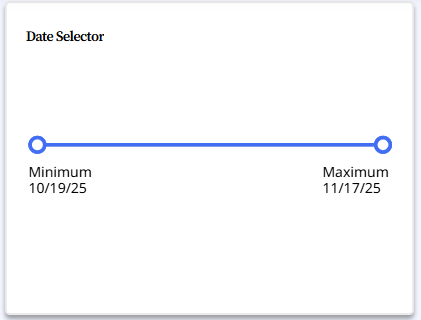
Range selector not working in touch/mobile screen
We are using the range selector in web view with mouse it works fine, but when it comes to touch or mobile screen it's not working. anyone knows/faced these issue or how to fix this?
 AjaX22
Is it possible to get Jupyter Workspaces enabled in a student instance of Domo?
I am using Domo for my masters program and have a need for more advanced features like the data science tiles and Jupyter Workspaces. Is it possible to get this enabled?

Re: Help with window rank function
What you're missing is a column that you can properly partition on. Your partitions right now are implied by row order; there's no single column that can be used to associate rows from a given segment with each other unless you also consider row order.
We can fix that with two tiles, an Add Formula followed by a Rank & Window:
1. Add Formula to create the New_Segment_Int column with this formula: CASE WHEN Rank_Indicator = 'New Segment' THEN 1 ELSE 0 END
2. Rank & Window, order by Row_Num, no partitioning, and compute a Sum called Segment_ID with rows unbounded preceding to current row on that New_Segment_Int column.
Since New_Segment_Int looks like this: 1, 0, 0, 0, 0, 1, 0, 0, 0, 0 where the 1s are the New Segment rows, its running sum Segment_ID looks like this: 1, 1, 1, 1, 1, 2, 2, 2, 2, 2.
Now you can use yet another Rank & Window tile to compute your ranks within the segments by partitioning by the Segment_ID column, while still ordering on Row_Num.
 rco
rco
Re: Workflows - create dataset?
Just keep in mind, CodeEngine runs server side code inside of the Domo infrastructure. If there's not a CodeEngine function for what you want to do, you can literally pop open the network tab while performing the action(s) you want to perform, and see the API calls it makes. You can then point CodeEngine at those same endpoints with parameterized payloads to accomplish exactly what you're after.
What you're wanting to do is 100% possible. Now…whether it's worth the level of effort would depend on how many times you need/want to do this. If it's something that needs to be done with any regularity or any meaningful volume, I'd absolutely automate it. If you just need to do it a few times…probably easiest to just do it manually.
Re: Workflows - create dataset?
@Sean_Tully - it sounds like you now need to:
1 - Create a new dataset
2 - Copy a bunch of cards
3 - Rename the cards?
4 - Switch the cards to this new dataset
All of these things are possible, but will likely require you to make a couple of custom CodeEngine functions (which I can talk you through).