Best Of
Re: Which DOMOSTATS dataset give you info about Dataflow Update Schedule
@verytiredgirl
You can also create your own DomoStats report for this using the JSON no code connector. Here’s a tutorial on how to do that:
 ellibot
Re: Attach a PDF to an Email
@srduval Have you found an answer to your question yet? You might try opening a support ticket if you're still seeking guidance.

Re: How to change date format on comparison dates?
I think you are running into a limitation with the Period over Period chart types. They are notoriously light on flexibility. I'm guessing you have a beast mode for your X-axis as that chart type doesn't allow for any date formatting on that field like other chart types do.
You can often accomplish the same visualization using a line + bar chart and then have better display formatting control. Here's are a couple videos that I did that shows some ways:

Re: Federated Data?
Domo has multiple ways to create "federated" data. One likely way this is now set up for you is through Virtual Datasets. The source Domo instance (your vendor) would have created a virtual dataset job in the Governance Toolkit to select which datasets should be federated to your instance. It is essentially a view and there is nothing for you to configure on your end. If data were to stop, it would be in the vendor's instance to troubleshoot. It requires an access token to function, so that could be the other potential breaking point if that token were to expire.
Hope that helps.
Re: How to change date format on comparison dates?
I was not able to replicate this issue.
With the same settings:
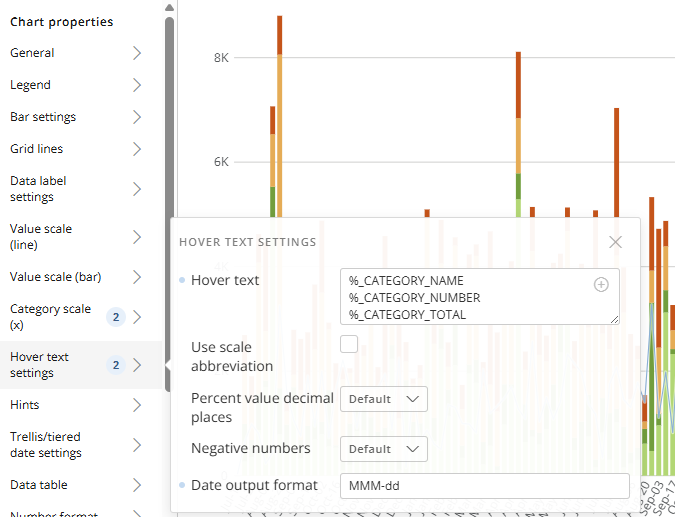
I could see the MMM-dd format in the hover text:
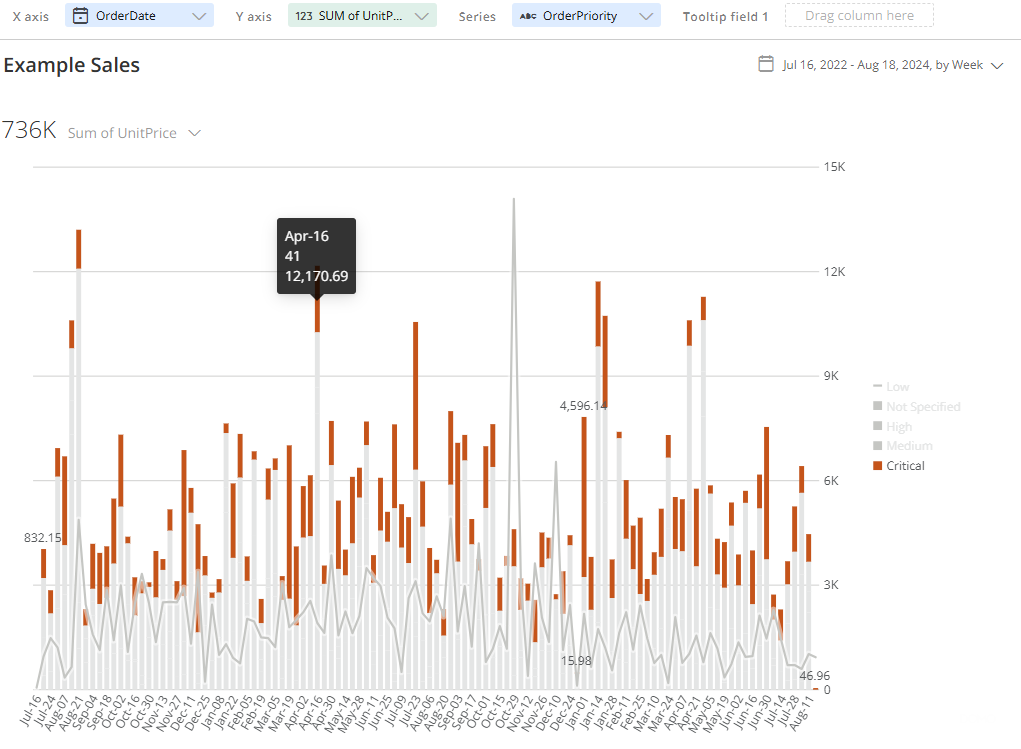
I don't see anything wrong with what you've shown so far. What's often the problem is the x-axis column not actually being formatted as a date, but I can tell that it is, because otherwise you would not be able to group by week.
- Do you have anything else turned on in the chart properties?
- Do you have any sorts?
- What does the hover text look like? Your screenshot doesn't match what you showed in your settings.

Re: html table
I recommend up-voting this idea, which already has 60 votes, and maybe add a comment about why it would be helpful to you to help bump the idea back in the discussion.
Inheriting PDP policies for a given user when querying the dataset?
Hi,
So we're trying to build a user facing app that will be fed DOMO data. In particular its a chatbot that will be able to query and read in DOMO data for user insights and actionable recommendations.
The issue we're facing is, each of our users have particular data policies and these policies are encapsulated in a PDP that is attached to the dataset. When the user requests a view of the data we want that user to be able to only view data that is defined in these policies. The dataset api doesnt appear to restrict the view of the data per user via the parameters but rather when say the pydomo client is instantiated the views are inherited via whatever policy is attached to the client id and client secret.
Is there a way to get a user of our app to only see the data the would see in the DOMO dashboards? Or do we have to reimplement the PDPs on our backend?

How to change date format on comparison dates?
I have a chart that shows the last 30 days by week, comparing to the previous 4 weeks of data. The x-axis is labelled correctly, using MMM-dd format, but when I hover, the comparison date shows the week number and I'm trying to change this to be consistent with MMM-dd.
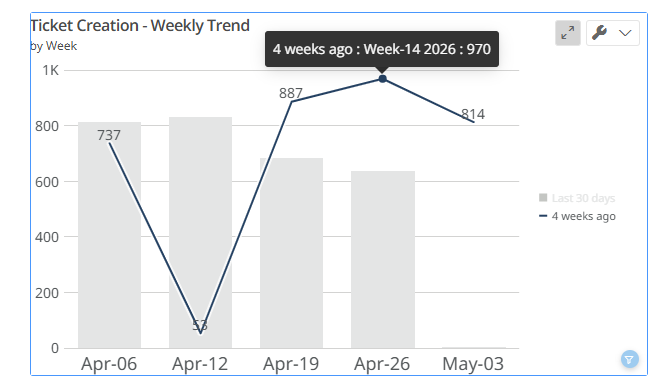
I updated the Date Format in the hover text options but it doesn't appear to have done anything. I did confirm it appears the Category Name is the wrong format but I don't know how to change it.
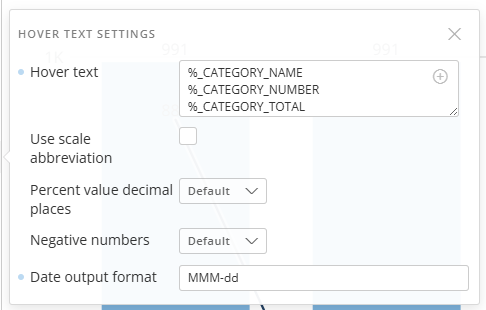
What am I missing? Thank you!
