Best Of
Drilldown stopped working on Beast Mode field with HTML (previously worked)
I have a table card where one of the columns is a Beast Mode calculation that outputs HTML (using concat( '<div title=' ,`Internal ID` ,'>',Job Number,'</div>')
Previously, this field worked as both:
- a formatted HTML display column to just show the Job Number, and
- the trigger for a drill path to a specific Internal ID (because just drilling down by the Job Number itself would bring more records than desired - I want to be able to drill down to a specific ID that the row in my table corresponds to. I do NOT want to display that ID in the table as it doesn't mean anything to the user.
Without any intentional changes to the Beast Mode or drill configuration, the drilldown has stopped working when clicking this column.
Current behavior:
- The HTML renders correctly in the table (doesn't show the <div> in the table, just the Job Number that I wanted to display)
- Clicking the cell no longer drills down how it used to - it just shows No Records.
What I’ve checked:
- Drill path is still configured correctly
- Dataset and fields have not changed
- Other (non-HTML) fields still drill as expected
Question:
Has there been a change in how Domo handles click interactions on HTML-rendered Beast Mode fields?
Is it no longer supported to use the same Beast Mode column for both HTML display and drill interaction?
 vliang0
Attach a PDF to an Email
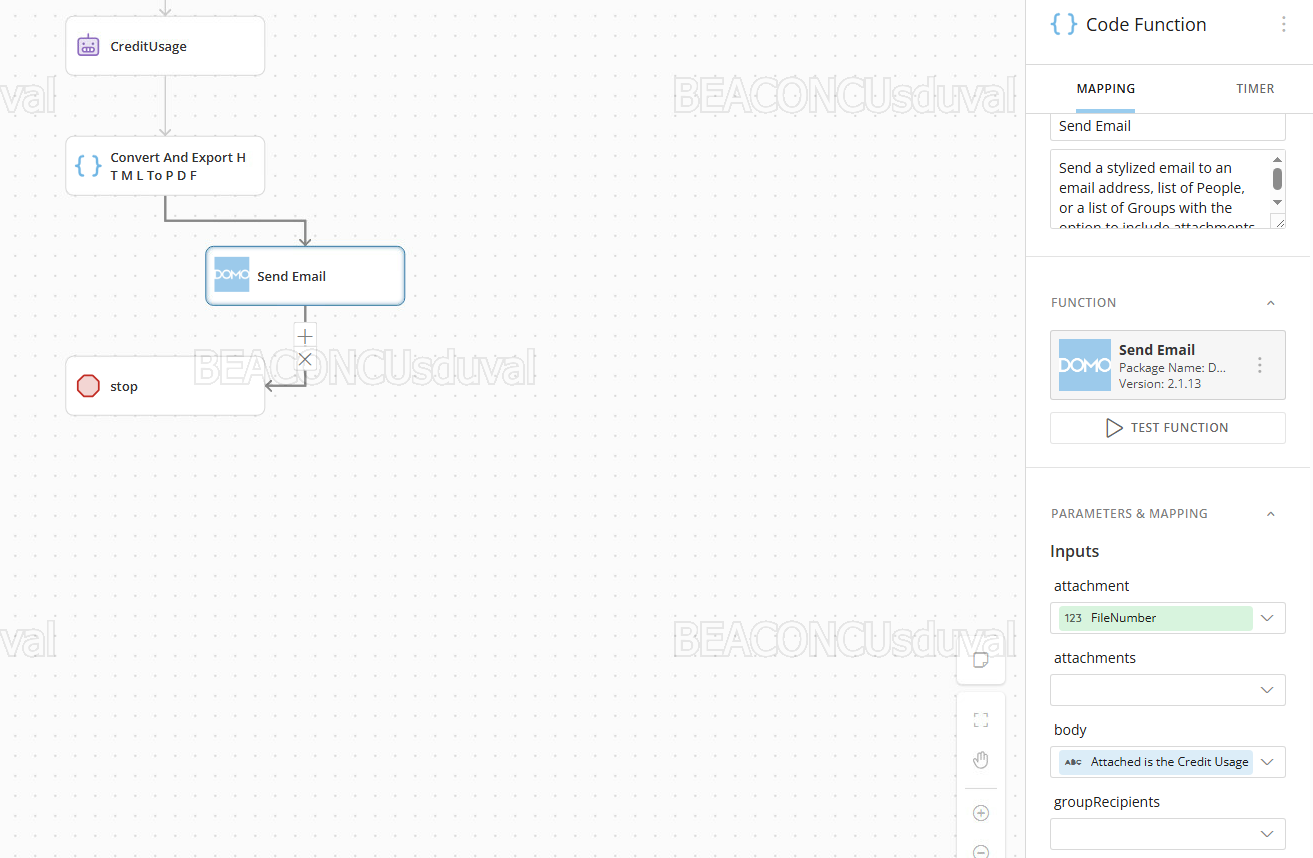
I created a custom function to create a PDF file based on some text being passed to it from an AI agent output. The create file function works correctly (returns a file id) but when I go to attach to an email, I receive a "null" attachment, not the file name or format I was expecting.
Any suggestions?
srduval
Bug - Domo Page Level Filters being reset
Noticed that at some point yesterday our dashboards would reset page level filters after initial load. Most of our dashboards are setup with a default filter, only showing the current period, certain segment etc. but those filters are being dropped unexpectedly after initial load. Seems to be related to variables as it's only happening on our dashboards that have variables on them.
collinT
Pretty-print Error on Android
I've created 3 different apps using App Catalyst. The apps work on desktops and the Domo mobile app when viewing on iOS. However, when trying to use Android devices, it throws a "Pretty-Print status 403" error every time. I tried using VAR at the top level and an IIFE wrapper. Neither of those is working exclusively or independently.
 Jessary
Workflow Notifications
I have just finished creating and deploying my first workflow. It's doing what I need it to do. I'm struggling to figure out how to consistently get workflow completion notifications to who I need to get them.
I am one of several admins. We are all in the "Domo Admin" group. I have given the group Admin access to the workflow. The only notification settings I can find for workflows are personal settings (annoying but I can tell others to set them up). But none of the settings will work. It is being started by and alert so the "you started" options won't work. And the "you own" options don't seem to work because there is no "owner". Only creator and contributor set as me and unchangeable.
So next path, setting up and email task in the workflow. Well after digging through a bunch of functions I landed on the Workflow Executions function. Technically I could get everything I needed, but if the workflow fails the Email task would never get triggered. Meaning I would only get the emails on success, not failure.
Pivot again. Found the DomoStats: Workflows dataset. Ok cool. I can just setup and alert for when a new row is added. I can even split things. Completion/Success just to me. Failures to the entire group. Cool. Except I only can run once a day (this is fine for normal days). I need it to update anytime the workflow runs. So add a task to run the dataset. Cool, except once again, if the workflow fails, it just stops. Meaning no trigger for failed workflow except to me.
If this workflow fails I need to know asap so the tasks can be manually triggered. I'm about to leave the country for 11 days. I need other people to be able to get alerts. Is my only option to set up a rule in Outlook to forward any failures?
ARosser
Pro Code in Apps Mobile Rendering Tips?
Looking for any tips on best functionality for rendering a AppDB Brick via Apps and specifically have it behave smoothly from an iPad via the mobile app. Curently what I'm noticing is when I rotate the screen it "resets". Note: I'm not super fluent in Pro Code writing, however Claude has helped greatly! Any tips would be greatly appreciated!

Re: 🦃 November Community Forum Recap
@GrantStowell , @ArborRose - Challenge accepted. 😈
Also, Congrats @ellibot!

ANNOUNCING SKI DAY: Join Us In Person for Domopalooza 2024
At this year’s Domopalooza, we’re making “aha!” moments happen everywhere—even on the slopes!

Round out a week of insights and entertainment by joining your peers on Friday, March 29, for a fun-filled ski day at Snowbasin Resort! Registered attendees need nothing more than a valid ID to qualify for a complimentary lift ticket and rental gear.
Transportation to and from the slopes is provided free of charge.
Register Now
💪Community Networking and Training: Build your Domo skills and get inspired—because your next great idea might be sitting next to you.
🗣️ Visionary Speakers and Product Announcements: You’ll hear it first: AI, apps, and what’s new in Domo for 2024.
🎤Two Nights of Entertainment: Enjoy two nights of concerts from A-list performers.
👩🏫 from our incredible customers: This year’s event is all about empowering you with data experiences that spark bold curiosity and power legendary business impact.