Best Of
Re: Domo- Tableau conection.
Hi @Tsharma8724, there's currently no Tableau connector in the existing Domo Appstore, although there could be an add-on connector that your customer success rep could inform you on (albeit additional cost if it exists). Otherwise, you can look through the Appstore to connect to the native data source(s) that feeds into Tableau or look at Workbench, depending on your use case.
 amehdad
Re: Domo- Tableau conection.
@Tsharma8724 - Also depending on Tableau's architecture / APIs you may be able to write a custom connector to pull data from Tableau but very likely it'll be difficult as they're competitors and don't have any incentive to allow cross product communication. Another alternative may be to write your own script using a language like python and the associated product's SDKs (pydomo / TabPy) to push and pull data from the different platforms.

Re: Domo API sample
This is the webforms connector I was referring to:
https://domohelp.domo.com/hc/en-us/articles/360043436813-Webforms-Connector. Just search for WebForm in the connectors dialog box.
Re: Domo API sample
That dataset ID doesn't exist in your instance so it's throwing an error. You can create a simple testing dataset using the WebForm connector and putting in some sample data if you want to test it before using real production data. You can get the new dataset ID from the URL when you're viewing the dataset details.
Re: how to show a duplicate in a table graph
I used the Domo Governance Third Part Connector to pull the Beast Modes report and then utilized a filter, groupby and another filter in magic ETL 2.0 to determine if there were any that occurred more than once. You can click anywhere in your ETL canvas and then use CMD+V or CTRL+V to past in the code I used below to automatically populate the tiles I was using.
{"contentType":"domo/dataflow-actions","data":[{"name":"Not Saved to Dataset","id":"d2c4d139-4bac-410f-ac73-725edb870fa5","type":"Filter","gui":{"x":366,"y":1680,"color":null,"colorSource":null},"dependsOn":["17016d2d-23ff-4d71-8593-b9e599c6f727"],"removeByDefault":false,"notes":[],"filterList":[{"leftField":"Card ID","rightExpr":null,"operator":"NN","andFilterList":[]}]},{"name":"Group By 18","id":"eb2aae43-b929-4ddf-9208-974b483da346","type":"GroupBy","gui":{"x":480,"y":1668,"color":null,"colorSource":null},"dependsOn":["d2c4d139-4bac-410f-ac73-725edb870fa5"],"removeByDefault":false,"notes":[],"addLineNumber":false,"lineNumberFieldname":null,"giveBackRow":false,"allRows":false,"groups":[{"name":"Dataset Name"},{"name":"Beast Mode Name"},{"name":"Beast Mode Formula"}],"partitionedAggregation":false,"fields":[{"name":"Count","source":"Beast Mode ID","type":"COUNT_DISTINCT","valuefield":null}]},{"name":"More than one occurrence","id":"95cccd1e-a9e2-4cbc-8a64-ceb62222ea72","type":"Filter","gui":{"x":576,"y":1656,"color":null,"colorSource":null},"dependsOn":["eb2aae43-b929-4ddf-9208-974b483da346"],"removeByDefault":false,"notes":[],"filterList":[{"leftField":"Count","rightExpr":null,"rightValue":{"value":"1","type":"DOUBLE"},"operator":"GT","andFilterList":[]}]}]}
You'll need to add your input dataset manually and connect it to the first filter.
Re: Domo Everywhere- Embed Card- Change Background of card to black.
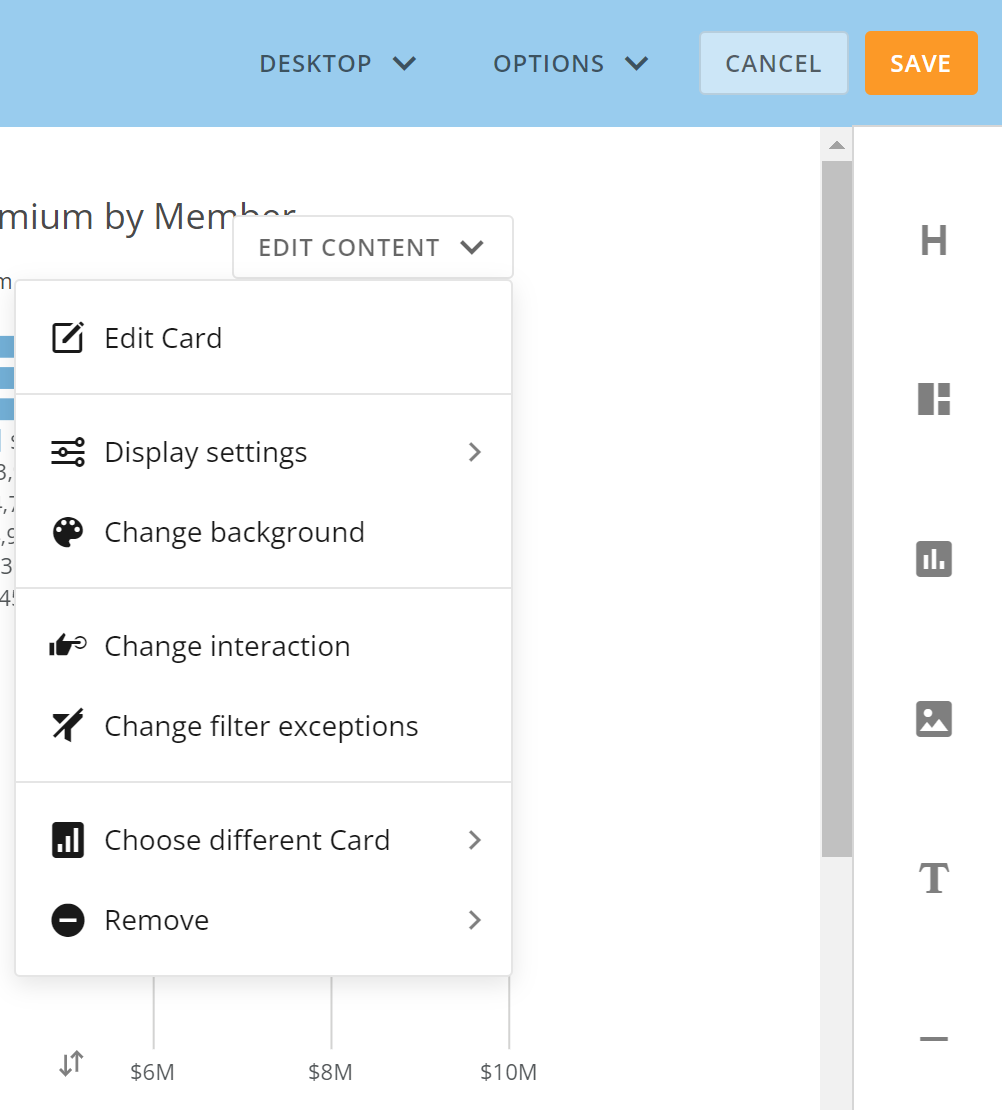
If it is a standalone card, I don't believe there is a way to change the background. If it is part of a dashboard, you can change the background by editing the dashboard and then click on Edit Content for the card and choose change background.

Re: Dynamic rank and filter lowest granularity - graph at aggregate level
Hi @jorgy
There isn't really a way you can dynamically calculate the rank and then graph by the week because of how Domo interprets aggregations. You may need to pre-aggregate your data using an ETL but you won't be able to filter at this level dynamically based on your card filters.
Re: Trying to figure out how to filter out top 20th percent of data by week in domo graph
You could use the Rank & Window tile in Magic ETL to rank your entries. Once they are all ranked, you could use a group by tile to get the max value value of the rank and then join it back to your ranked entries and then use a formula tile to determine what percentage it is. Then include/exclude on that percentage value.
Re: Filtering Pages and Sub pages in embed dashboard
Hi @Seth
you’d need to have your website handle the report selections and then dynamically change the URL of the embedded report for the last step
Re: The correct regex to remove the first character?
Hi @user048760 ,
If the text you want to remove is always the "$" symbol then you could use a Replace Text tile in MagicETL to just remove that character, regardless of the length.

Then you would need use an Alter Columns tile to change the datatype of your column from string to a decimal.
