Best Of
Drill in & interactive filtering at the same time?
I know there were some discussions about allowing users to have an ability to both drill in and filter other charts in the App, just want to know anyone has any update?
For example: I have a pie chart showing count of people by 'Active', 'Non-Active'.
Then add a drill path for this pie chart showing count of people by 'Non-Active < 7 days', 'Non-Active >= 7 days'.
So when I click on 'Non-Active' → it will drill into the 2nd pie chart, breaking down the Non-Active category for me.
But I have other charts in this App that I would like to also filtering to 'Non-Active' then to 'Non-Active >= 7 days'. Is this still unachievable?
Re: Brand Kit Color Select
Hi, I'm having the same problem. Did you ever find another way around?
Re: Brand Kit Color Select
if this is a bug, probably should open a support ticket. if it's a product feedback, make sure to put it under the IDEAS exchange board. if you leave it here i am concerned you won't get a response.

Brand Kit Color Select
Hi,
The new brand kit feature color creator doesn't seem to work as intended. When you put in the hex code and save, the color code changes just slightly. For example, if I create a new Hue and enter #66A4CD, after saving, the code changes to #69A4CB
Re: Domo // Build - What can I present that is impactful to you?
Sean,
I loved your presentation at Domo Build! Great real-world practical example of using Domo to change the game! Not to mention you were the only presenter who bought lunch for all the attendees! DANG, I loved swinging through Freddy's drive through the next day. TOTS! for the win. Plus the brownie shake.

Domo // Build - What can I present that is impactful to you?
I think everyone here knows about Domo // Build coming up on June 23rd. But if not - Here’s a link - go get registered and I'll wait for you here -
Ok - now that you are back I wanted to know what YOU want out of this? Here is the deal - I have 8 minutes. I'm not going to get into a code review session. But I also don't want to talk to developers like you don't know what AI is.
For what it is worth, I'm going to talk about a bit about a journey we have gone on with pricing and data validation and most importantly - automation. I want to share a few things we learned that aren't the normal technical things I see in sessions like this.
Keep it real - What can I present that is impactful to you? If it is nothing, just tell me, and I'll just do my best not to suck and be boring - but I make no promises.
 SeanPT
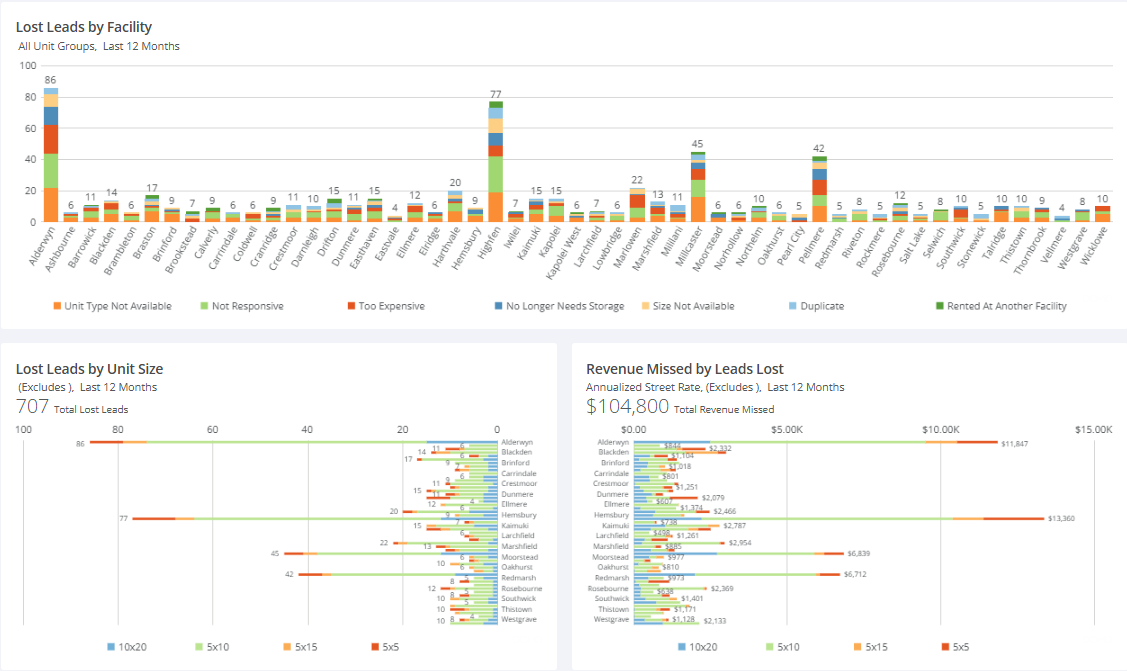
Inconsistent Interaction Filter Behavior
I have noticed that summary numbers do not update to reflect interaction filters applied from their parent card. However, they do update correctly when the same interaction filter is applied from a different card.
I am seeing similar behavior with chart legends. When an interaction filter is applied from another card and causes certain series to have no data, those series are hidden from the legend. However, when the interaction filter is applied from the parent card itself, all series remain visible in the legend, even if some of them no longer have any data.
Is this expected behavior, or is it a bug?
No interaction filters:
Interaction filter applied to Revenue Missed by Leads Lost:
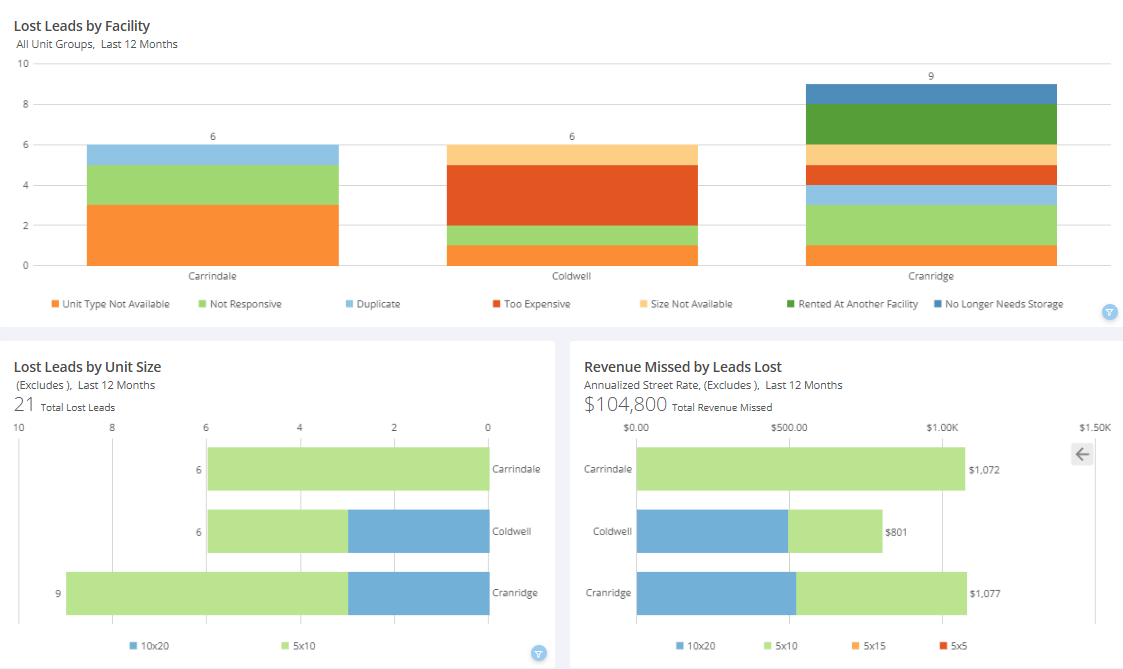
The Revenue Missed by Leads Lost chart continues to display legend series that are not present in the chart data. In contrast, its sister chart, Lost Leads by Unit Size, only shows series that are currently represented in the data.
Similarly, the summary value on Lost Leads by Unit Size updates to reflect the filtered data, while the summary value on Revenue Missed by Leads Lost remains unchanged and no longer matches the data being displayed.
The reverse, an interaction filter applied to Lost Leads by Unit Size:
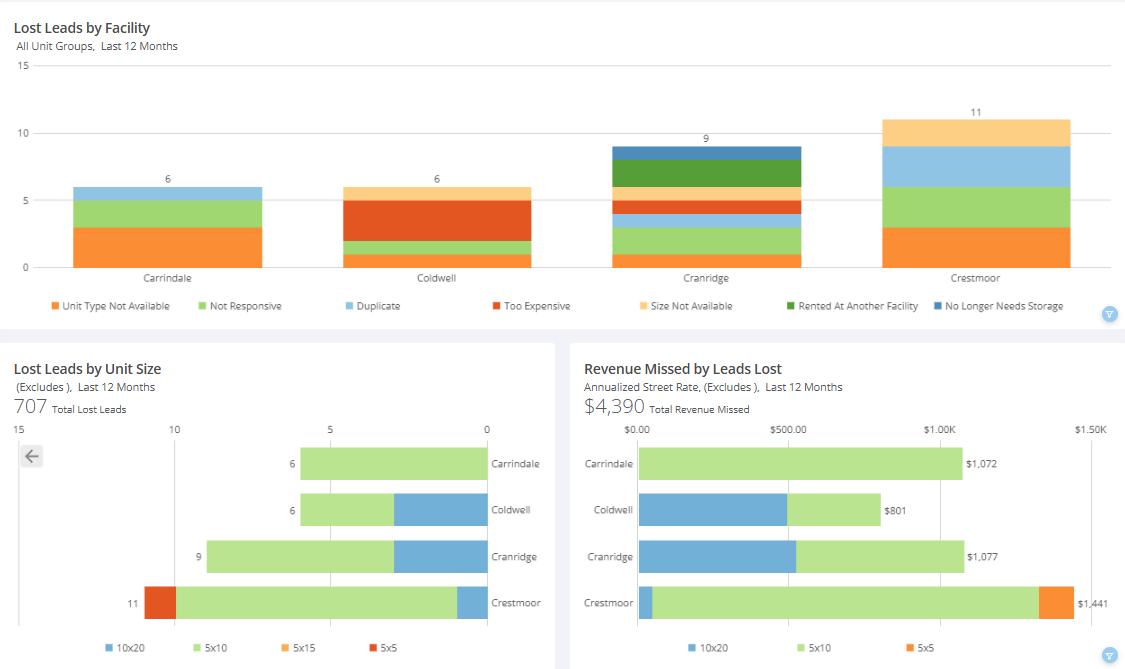
 MHatch
Re: Allow Brand Kit Font in App Studio
The documentation is very misleading. It makes it seem like this functionality is already in the product when using the brand kit. I hope they get to this enhancement. It's surprising that this isn't a higher priority.
Re: Drill in & interactive filtering at the same time?
I don't think this is currently possible. I was trying to think of an approach that would achieve a similar effect, and the closest I got was using a variable to switch how the pie chart is broken down. Instead of Active/Non-Active, I used this sales dataset with 3 product categories. When the variable is set to all, then the pie chart shows the three categories.
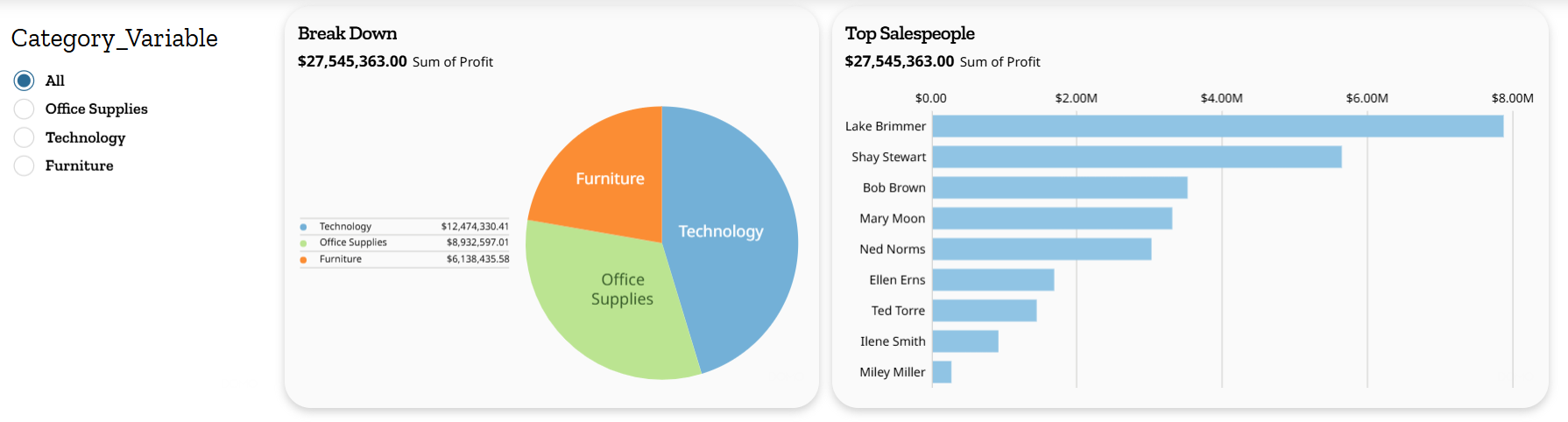
When one of the categories is selected, then it filters and shows the detailed products within that category and filters the other charts:
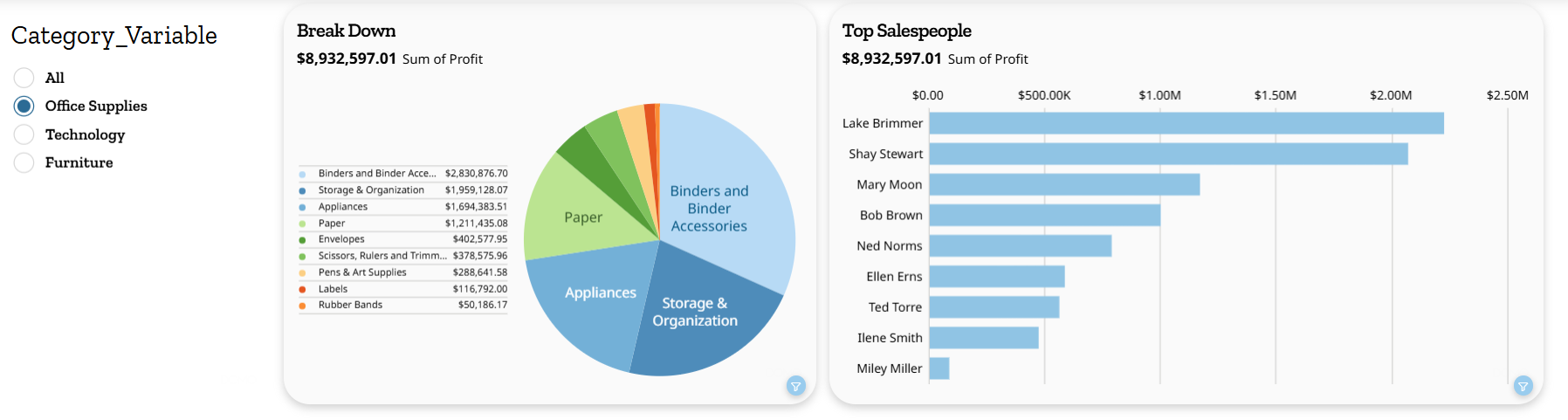
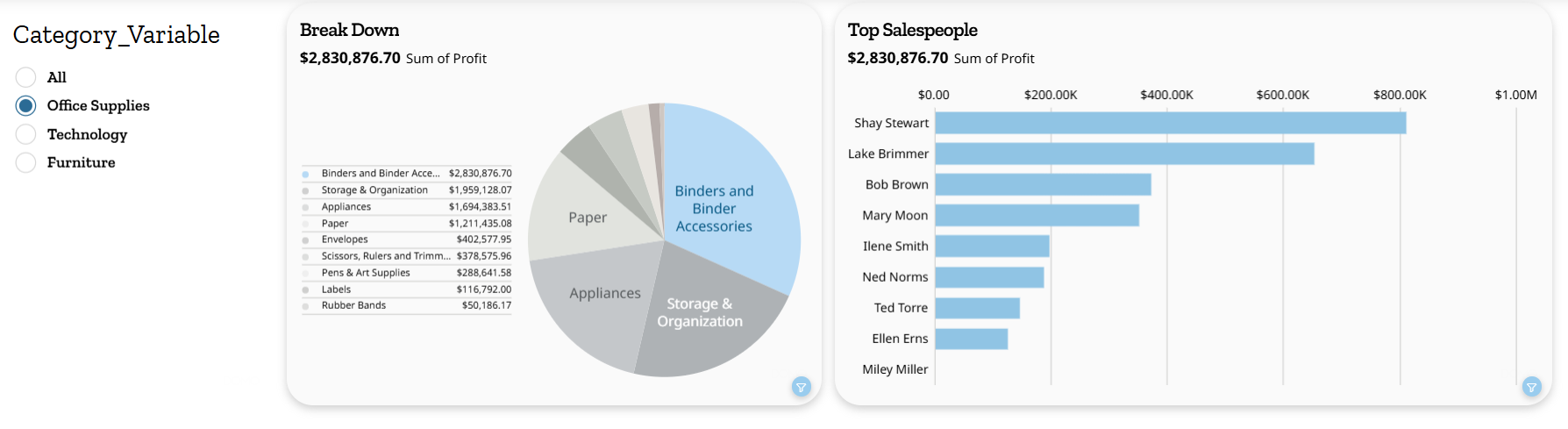
One advantage of this approach is that you can continue cross-filtering at the next level. So I could select Binders to continue filtering the other cards:
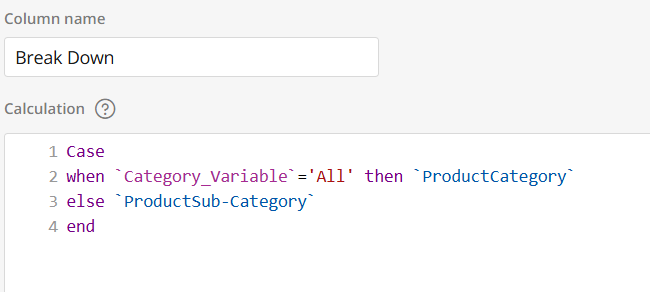
To achieve this, I created a Category_Variable and two BeastModes. The BeastMode to breakdown the pie:
And the BeastMode to filter:
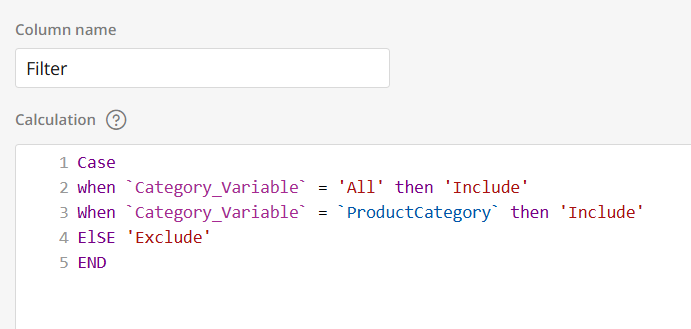
I needed to add that Filter BeastMode to every card that I want to be effected.

Re: Fetch the latest month data for user selected date range
@GrantSmith is the king of this and has a great write-up I'll link to at bottom. His approach allows for a lot of flexibility in grain, etc, so might even be more complicated then what you need.
The way I would approach this is to calculated the MoM and YoY and YtD for every month in the dataset in the ETL itself. So each row would be something like:
- Month_Date
- Current Month Value
- Previous Month value
- Previous Year's Value for this month
- Year-to-Date Value
Then to surface the most recent month for a user's filter, you could sort-descending by month_date and limit the card to one row.