Best Of
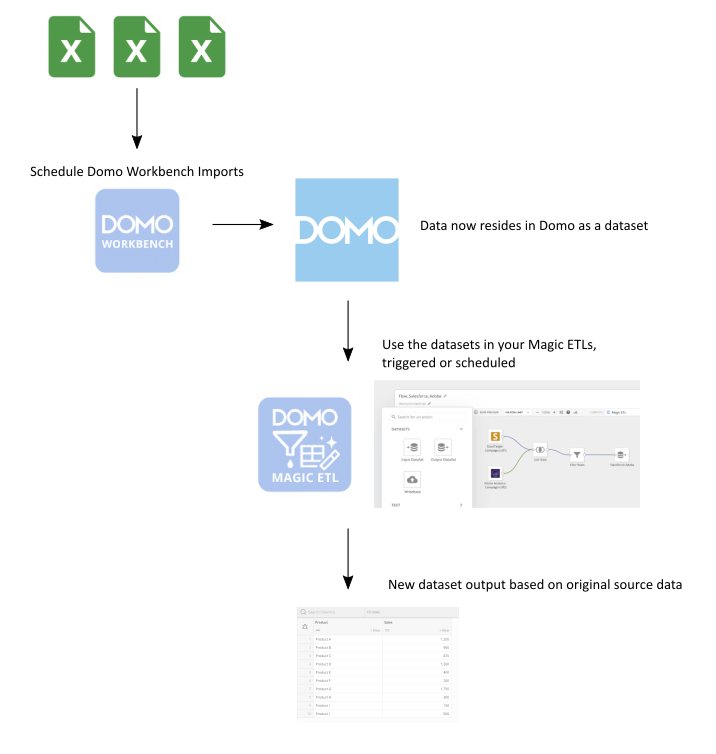

Re: What are best practices when I need to bring in data from a .csv or .xlsx file for use in a workflow
I prefer using Domo Workbench. Find it under Admin > More > Tool Downloads.
Re: JIRA Rest API connector resulting in null data for a custom field with data-fieldtype="labels"
It probably relates to having a single value versus an array. For an array, in JSON, you would get something like
"customfield_0001": ["label1", "label2", "label3"]
In which case you would need to parse the elements to get the values.
Re: % of Revenue Beastmode
I'm assuming your source data looks like this. (Per @ArborRose's suggestion, it's always helpful to provide an example of the structure of your raw data, not just the desired report).
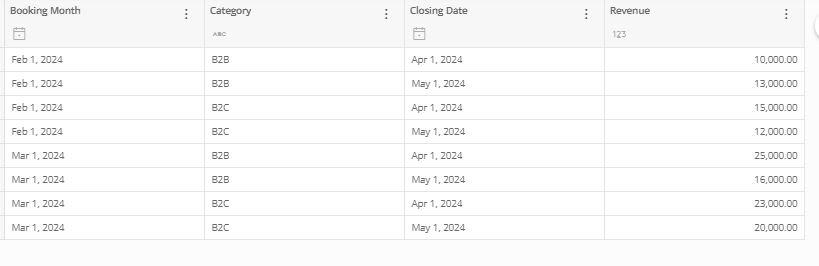
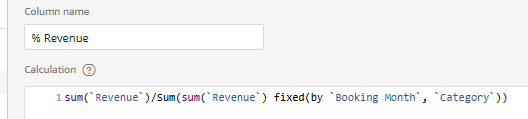
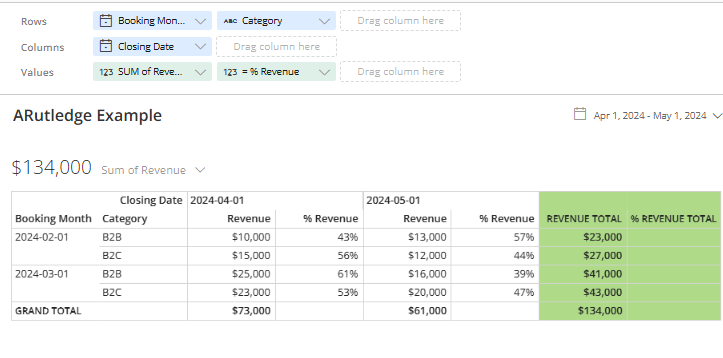
Assuming that I'm correct about the raw data, this would be easy to replicate in a Pivot Table, using this BeastMode for % of Revenue:
Here's the pivot table (same as your PNG):

Re: Creating new users without enabling email invites/notifications from Domo
I've been able to create users without the invite email by creating them in the CLI tool rather than the Domo UI. If you use the create-user command without the -i true parameter it will not send the email.

Re: AzureAD to Domo for User data
Hi @TommyDenn ,
To add on to ArborRose's response, we used the "JSON No Code OAuth Connector" which opened up the use of Microsoft Graph under the "Data Selection" part:
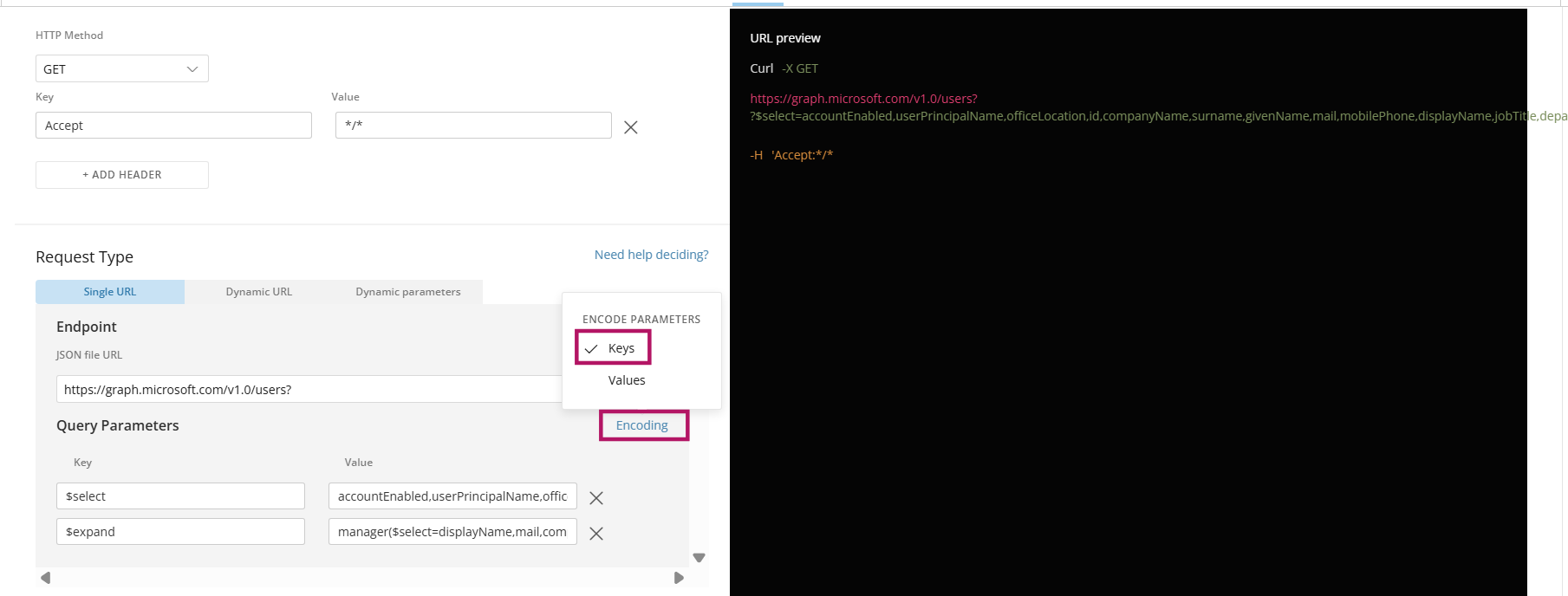
You can use Graph Explorer | Try Microsoft Graph APIs - Microsoft Graph to test your request and make sure you're returning the data you want
Hope that helps!
 RK_CFL
Re: AzureAD to Domo for User data
@TommyDenn
Apparently Microsoft Graph is the official API for accessing data in Microsoft 365 and Azure Active Directory. Try connecting through Microsoft Graph's API us OAuth2. You should be able to access user profiles, last sign-ons, groups, titles, departments, etc.
https://learn.microsoft.com/en-us/graph/api/resources/users?view=graph-rest-1.0
Re: I am trying to send a list of domo users to my email every quarter using Workflow.
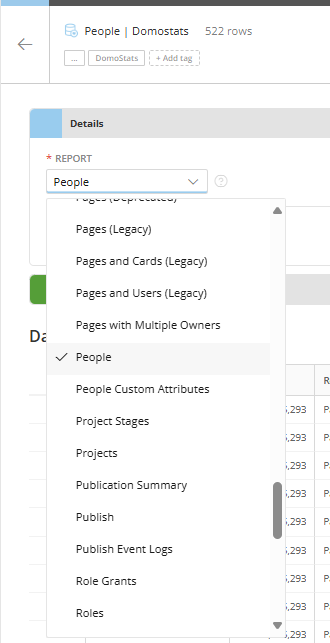
@Anna_Otake hey there! I'm late to the party here but just to piggy back off of what Michelle mentioned. If you go to the People Report in the Domostats connector (maybe refresh once a week?), build a simple table card off the dataset, then setup a scheduled report for the sending cadence you want and select the report recipients (include your non domo user email as well). A workflow could work, but you are missing this dataset to reference and in the workflow you have to set the send trigger when the dataset updates. Keep it simple. 😉