Best Of
Re: Calendar Chart
Quick responses today, but I'll add here's a link to the documentation about the Calendar card:

Re: Can we change all charts in an App to show 1 decimal?
Unfortunately, that is going to be a manual process and go into each

Changes to Domo cookie
Domo is making some changes to one of our cookies. These changes will be released to customer Domo instances starting on Aug 13, 2026. We expect no negative impact on typical customer usage of Domo.
- What are we doing? We’re removing a cookie from the top-level domo.com domain that’s no longer required for Domo product functionality. That cookie will now be scoped to the Domo instance subdomain. The cookie's contents will also be changing.
- Why are we doing this? This change is an architectural simplification and will reduce or eliminate the appearance of 431 (header size) errors some customers have reported
- When? This change will be released to customer instances between 2026-08-13 and 2026-08-19
- What’s the impact? We expect no negative impact on typical customer usage of Domo.

Re: “All Time” date range ends one day earlier than the latest available date
This is a bug and I have been told that Domo is working on it. I would submit the issue to support@domo.com so they recognize how many customers are being affected.
Observation on Variable and Set Variable Reset Behavior in Domo Apps
Hi,
During the implementation of a Domo App, I noticed some user experience inconsistencies between the existing Variable functionality and the newer Set Variable functionality, and I wanted to understand whether there is a better approach or recommended best practice.
Scenario 1: Standard Variable Control
I have a Month dropdown that uses a variable with static values. The default value is set to May 2026.
- When the app loads, the dropdown correctly displays May 2026.
- If I select another month (for example, Jan 2026), the table updates correctly based on the selected value.
- However, when I click the Reset button, the table returns to the default results (May 2026), but the dropdown itself does not display the default value. Instead, it appears blank or does not visually reflect the reset state.
This creates some confusion because the data and the control are no longer aligned from the user's perspective.
Scenario 2: Set Variable Control
I am also using the newer Set Variable functionality for a Shop dropdown.
- After selecting a value, the table updates correctly.
- However, there does not appear to be an option to reset the control back to its default value.
- If I remove the selected value from the Controls panel on the right-hand side, the table updates accordingly, but the dropdown still shows the selected value.
- The user must manually open the dropdown and clear the selection, which is not very intuitive.
Question
Has anyone experienced similar behavior with Variables or Set Variables in Domo Apps?
Is there a recommended approach to:
- Properly reset controls back to their default values?
- Keep dropdown selections synchronized with the underlying data state?
- Improve the user experience when using Set Variables?
I would appreciate any guidance, workarounds, or best practices from the community.
Thank you!
Re: identifying which etls and join tiles reference a certain column
@Jbrorby, if you're feeling the time passing on this, you might use CHIP, the AI chatbot at the lower right of the forum screen to query the full Domo Knowledge Base + the last 2 years of community forum threads. That may give you a start to your answer.

identifying which etls and join tiles reference a certain column
Does anyone know of a relatively quick way to identify any ETLs and join tiles that are using a specific column? Is this perhaps an AI use case?
Thanks
 Jbrorby
Re: Can you have App Studio control filters update automatically based on calendar period?
You can make this dynamic by creating a beast mode that looks at the current date to automatically filter to the current period. This would be done all your cards on your dashboard. Here is a video that walks you through it.
Can you have App Studio control filters update automatically based on calendar period?
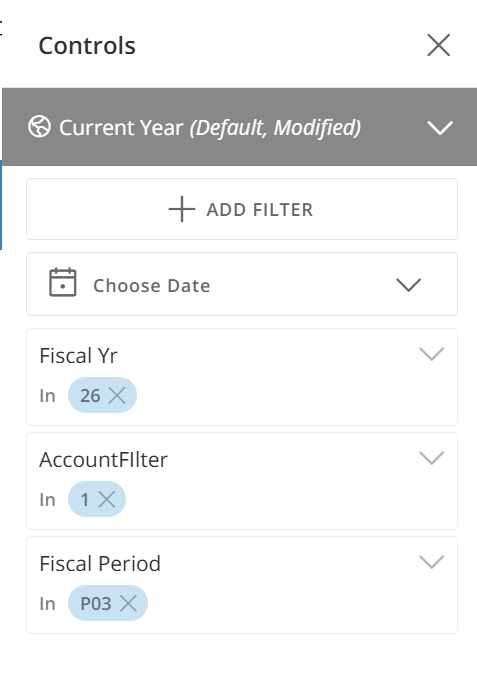
I inherited a Dashboard in App Studio where the control filters have to be manually updated every calendar period. Is there a way to have it so that these controls update automatically every period?
 Brittany
Re: Mega Table: Show Subtotal Rows auto adding the 1st column in Sorting?
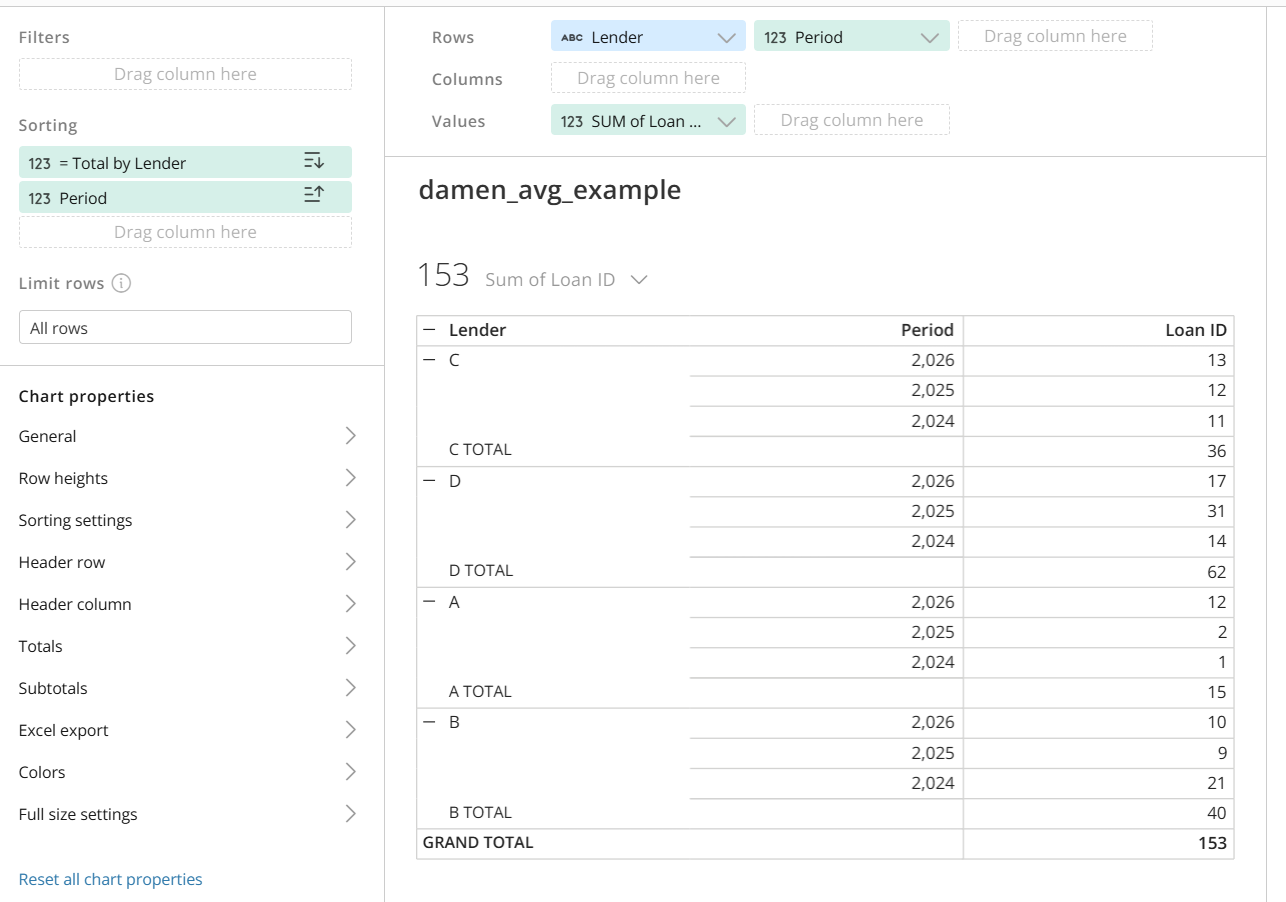
I would go with the pivot table, but you have to be careful with your sorting columns. For example, I have this super-simple dataset in a pivot table:
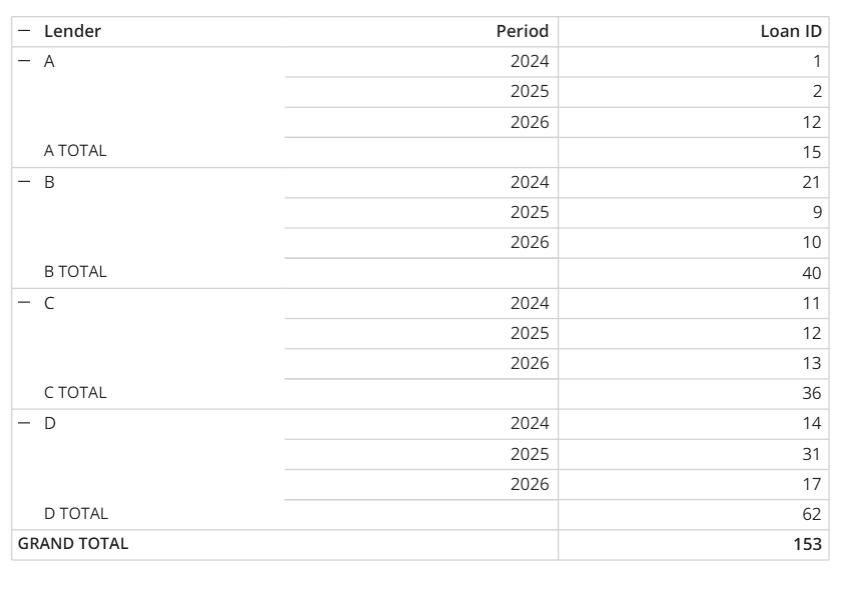
If I put some conflicting sorts, it generates that error. IMO, Domo pivot tables should be able to handle this, but they can't, so here we are.
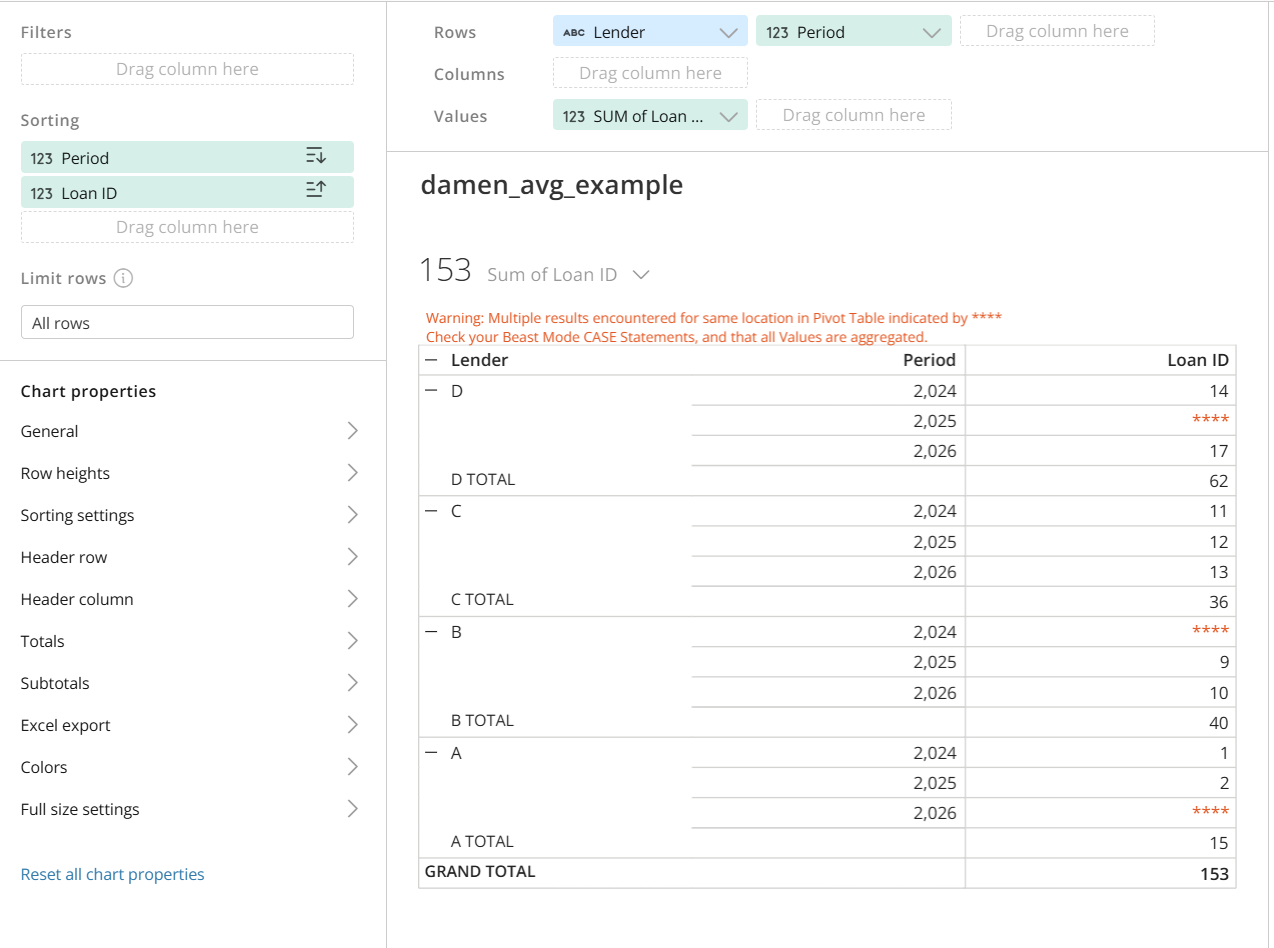
However, I can sort the Lender however I want, as long as I make sure the sorting columns don't conflict. The safest thing is to use sorts that are aggregated by the groups you want to be able to collapse/subtotal on the left of the table. For example, I could get totals by Lender with:
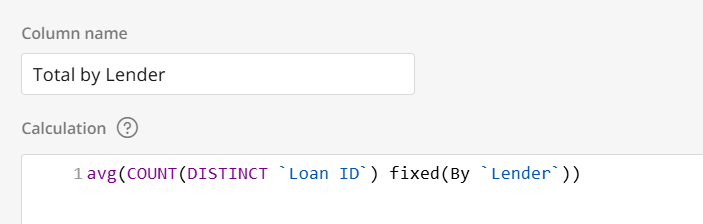
And then use that to sort my lender groups first. Then a second column to sort within those groups without breaking the table.
If you show a mocked up example of your data and what sorts you're using that are producing that error, we could troubleshoot.
