Best Of
Re: Need to create a ticket card which shows all raised, closed and backlog tickets
You'll want to use the Line + Grouped Bar chart type and then go to chart properties > General > Number of Running Total Lines. See below:

Configure the chart so that Backlog is a running total

Re: Alerts for when Data Sets Fail
Hi,
You can set the alerts by following the steps as mentioned below,
- Go to your dataset overview in Domo Data Center
- Click on the wrench icon on the top right corner of the screen, and click on the notification option
- In the popup that appears, select the option 'Send email only when this dataset fails to update'
Hope this helps
Regards
Aditya Jain

Re: Rick Click To Open New Tab
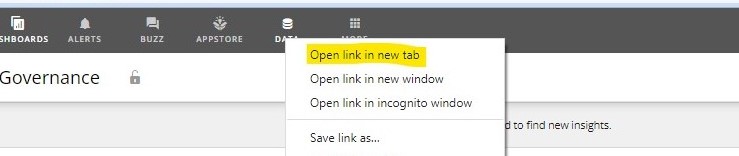
Agreed. Also, if you notice, one can right click on the Data tab when we are in any of the dashboards but not when we are in the Data tab itself.

Re: Does the API's dataset/export method work?
Are you passing in the Accept header to tell it what type of content you're willing to accept? I'm assuming you're wanting CSV so passing in "text/csv" as your Accept value would be what you want.

Re: How do I access the subfolders using SharePoint Online Rest Connector?
You'd need to specify the subfolder in the relative path parameter when configuring your connector.
Re: comapare current-3 days in period over period chart
@chetan_cricut make sure you are choosing an aggregation of SUM on both the gauge value and comparison value

Re: June Domo Community Forum Spotlight
Congrats @colemenwilson!
Also shout out to @GrantSmith for reaching 10,000 points on the Community Forum!

Re: Marcel Lüthi late introduction 😅
Mucho gusto Marcel! We're so glad to have you in the community. Your contributions are invaluable to the forum!


Re: Variables - where can I manage/view all in my instance?
Hi @swagner
You're correct in that they're not available in Beast Mode Manager and the two DomoStats datasets don't give you additional information about the variables other than the name and where it's being used. It doesn't have the actual values defined for each variable. I'd recommend adding an enhancement request to the idea exchange to get more information or details about variables into DomoStats.