Best Of



App Studio - Targeted Page Sharing
Hello,
I currently have an AppStudio that has two pages, one page serves as support to the main one. The support page is supposed to be used by a select group of people responsible for feeding and driving the main one. The main one is to be used by all users with access to the app. It would be great if I could share the support page only with those individuals (essentially hiding the page from other users), so that it all stays in the same app.
Would love to hear ideas, and perhaps a solution that I'm not aware of 😅
Thanks!!

Ever wished you had more space in the formula editor?
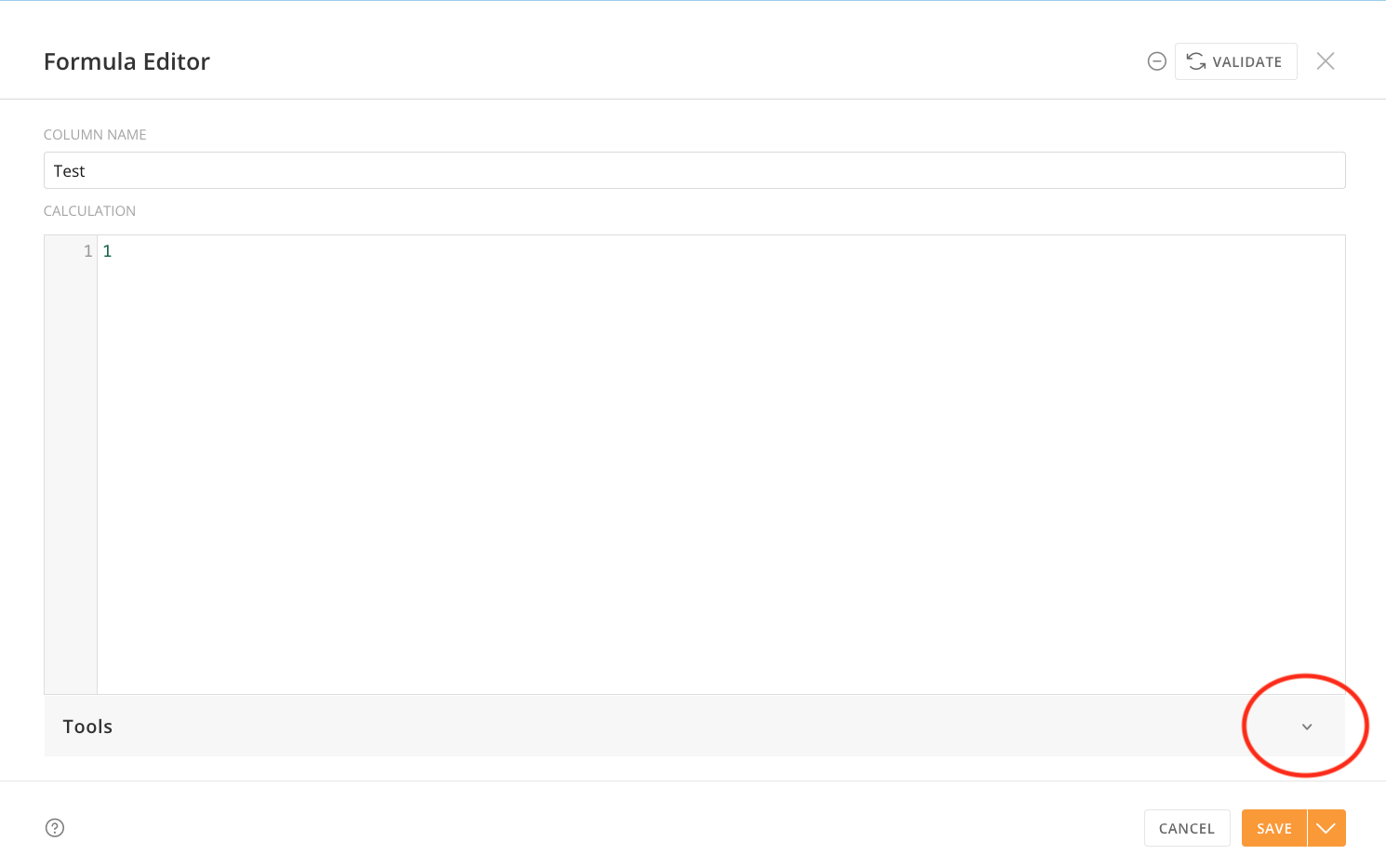
The days of trying to construct a long and complicated formula in an itty bitty little formula editor are over - you asked and we heard you: we've now added the ability to collapse the Tools section of the expanded formula editor in Magic ETL. This went live in your Domo instance yesterday. Just open the expanded formula editor in one of the tiles where you write formulas (Add Formula, Join Data, Filter Rows, or Group By) and click the caret on the Tools bar to collapse all of that documentation and noise. Click the caret again to bring it back when you need it for reference.
My team and I love being able to slip in these little quality of life updates, amid our bigger feature efforts. We hope this makes the process of writing that formula more pleasant and improves your life just a little bit.
(…although I hate to tell you this, but that massive CASE statement should probably really be a join to a lookup table. #justsaying)
— Your Friendly Neighborhood Magic ETL Product Manager 🙌

JULYghtful content you won’t want to miss!
July–– ICYMI!🔥🔥
Hello Domo Community! It's time to spotlight the most viewed and commented discussions from July, plus a celebration of our standout contributors, ideas, and the competitive leaderboard.
Most Active Discussions in July
These conversations sparked the most engagement—be sure to check them out and chime in with a reaction or comment:
- Description field in activity log
- Month formula for month to month change
- Beast Mode Calculation
- Incline table card
@ColemenWilson and @ArborRose answered all of these questions! Thank you for your contributions as well, @DavidChurchman. @kim_barragan0126, @Utz, and @art_in_sky, your questions seem to have resonated with the rest of the community too. 50+ views on all of these posts.
Leaderboard Top 3
@ArborRose @MarkSnodgrass @DavidChurchman on the top of the leaderboard yet again. Thank you for being stellar Coaches. Watch your inboxes for a gift card from Domo!
- @ArborRose , 379 points
- @MarkSnodgrass , 165 points
- @DavidChurchman , 110 points
Top Posts
Here the most viewed and engaged posts from July. Follow the links and leave a reaction if you found them helpful too!
- How can I add week ending dates when I have only days of the week?
- Getting error "domo.OnDataUpdate is not a function"
- Multiple progress tracking bars
- Recursive calculation in etl
Shoutout to the following community members for asking and answering our top discussions this month: @kim_barragan0126 @ArborRose @ColemenWilson @sourabh05 @GrantSmith @verytiredgirl @DavidChurchman @MayaU_01
Top Ideas
These three ideas got the most upvotes. Give them an upvote or comment if you'd like to see them in the product too.
Thank you for helping shape the future of Domo @Dhuddleston and @shaqlee.
Soon to be Coaches 👀
Once you get 1000 points, you reach COACH status and join an elite group of individuals. Hey, @pauljames, @jessdoe, @Sean_Tully we see you!! Keep going.
Community Member of the Month,
@DavidChurchman consistently shows up for the Community. In July specifically, @DavidChurchman answered a significant 15% of all questions that came in July. All-time, he's earned a rightful spot on the top 10. Thank you David for being one of Domo's best Coaches!

If David has helped you find an answer to your question, help me thank and congratulate @DavidChurchman in the comments below!

Hybrid Table (HTML | Flex Table)
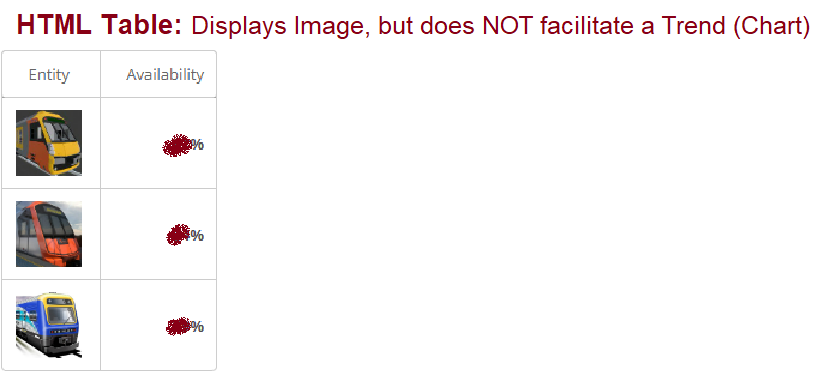
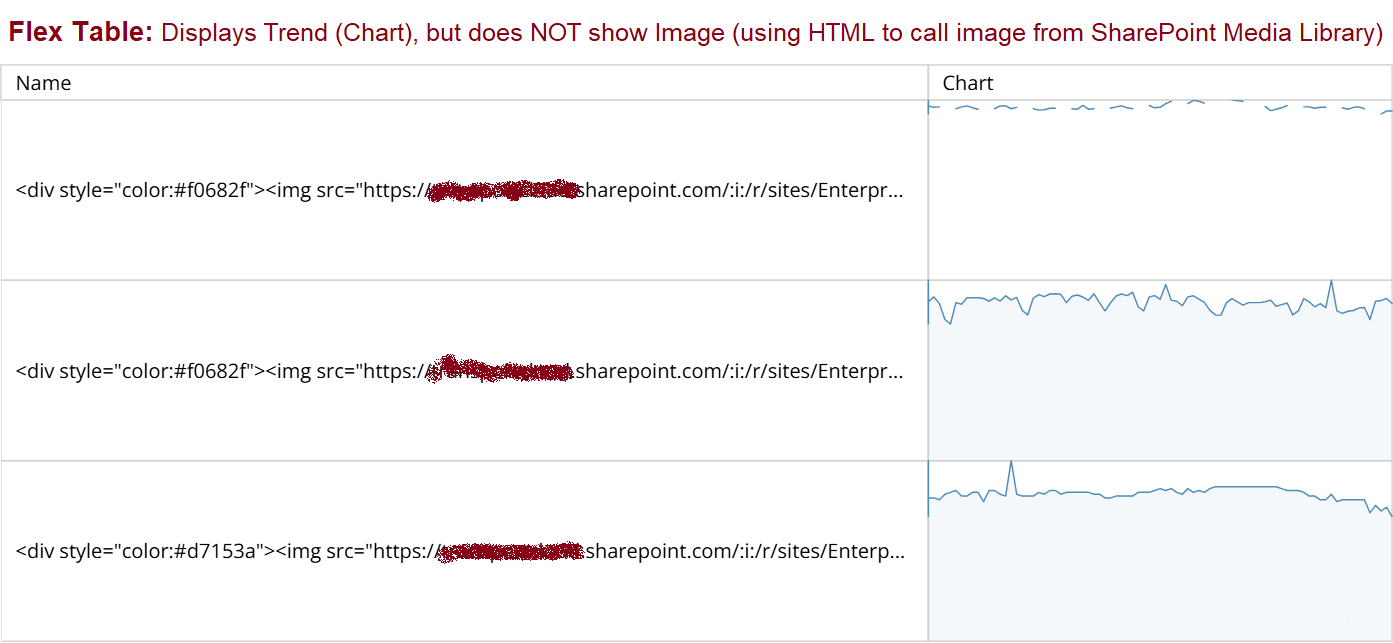
I'd like to build a hybrid version of HTML Table and Flex Table to display an Image AND a dynamic Chart (Trend Line) in a single Table.
Currently, the HTML Table allows me to display an image (using HTML to call the Image from a SharePoint Media Library) - but it only allows me to display a Value (not a Trend/Chart).
And the Flex Table allows me to display a Trend/Chart - but the HTML code fails to call the image, and instead displays the code as a text string.

Improve PDP on Domo Everywhere publishing
I have a suggestion for a product enhancement. The suggestion has to do with one of the steps in the Domo Everywhere publishing process. Specifically about the 5th step in the create or edit process of a publication job, the one where you choose the PDP policies to include.
Once you have more than a handful of DataSets included in your publishing job, it is difficult on this page to determine:
- Which DataSet(s) need to have permissions set.
- Which DataSet(s) may have more than one permission set.
- Which permission is set for each DataSet
The frustration mostly comes from the seemingly haphazard way that the list is presented, along with what appears to be technical limitations of the page that don't allow the browser's search function to work on that list (as it appears to load dynamically as you scroll, which means the data isn't there to search with the browser).
Ideally, it would be best to have the page organized by the DataSet for which permissions need to be set. Then, for each of those DataSets, you could choose which PDP policy (or policies, if it is intended/valid to have more than one) to apply. At very least, if the 3 columns could be sortable it would allow the information to be shown in a more logical order, customized to the need of the task at hand. Also, if each column were filterable or if the filter on that page were able to filter both the Policy name and DataSet column instead of just the Policy name, it would be very helpful.
 Bryan_B
Quick Filter Displayed on Dashboard or App
Could quick filters on cards become something users can interact with from the dashboard or app? Right now, a viewer can only interact with it if they expand the card—ideally we could toggle the quick filter being viewed in the "appearance" settings and any dashboard or app viewer could interact with it right away. Or the quick filter would appear when we add controls to the page.
It would also prevent having to make separate cards or variable/control workarounds for filters every time we want this kind of easy user interface on dashboards/apps we make
kreid
Magic ETL can use Federated Dataset
Hi,
We have number of cases where we want to use Magic ETL using federated Dataset. Can discuss them?
Thank You.
Best Regards,
Tejal

Schedule ETL for Last Day of The Month
We have an ETL that needs to run on the last day of each month. Our current solution is to run the ETL on the 28th, 29th, 30th, and 31st. Can Domo add a default Last Day of the Month option similar to the Last Day of the Month Option in the SFTP scheduling options?
hfruecht
Turn on Ruler and Gridlines in Dashboard Edit
Having the ability to turn on ruler and gridlines when editing a dashboard will be awesome for someone like me and my team where we usually design the dashboard from scratch instead of using the pre-built template.
This will enable us to align sizes and set sizes of each card more accurately because at the moment everything is guesswork and some times, the cards are not equal in sizing due to lack of ruler gridlines.