Best Of
Calendar Card Enhancement
It would be a useful enhancement when you choose General -> Dates From -> Data that you could choose the most recent date, or the oldest date. Right now, when you choose Data it will start the calendar at the oldest date, which is typically not very useful. Choosing Current Date has the drawback that when a new month starts, the calendar can often look very empty if you data doesn't have future dates.
Being able to choose Data and then the most recent date will allow the calendar to default to the most recent month with data.


Re: Turnover calculation query
Hi @Abhijith, as you already have the total 'Employed' and total 'Terminated' from the initial ETL, there's no need for another ETL.
It appears you are after rolling aggregates, so I suggest you look into these great write-ups, as a start, from @GrantSmith:
https://dojo.domo.com/discussion/52681/domo-ideas-conference-beast-modes-running-totals
https://dojo.domo.com/discussion/52679/domo-ideas-conference-beast-modes-rolling-averages
 amehdad
Re: How do I share a dataflow?
In order for them to see a dataflow, they need to have access to all the inputs and outputs feeding into and coming out of it. The easiest way to do this is to build a card off each dataset and share them with the user.
 AustinH
Re: Background Image for Stories
Hi @Ashleigh, according to DomoHelp, background images are recommended to have a size with a 2:1 ratio, so agreed with @MarkSnodgrass advice. But that's all the guidance provided online in terms of dimensions for background images :/
amehdad
Re: How to build card|total headcount based on the Hire date and termination date
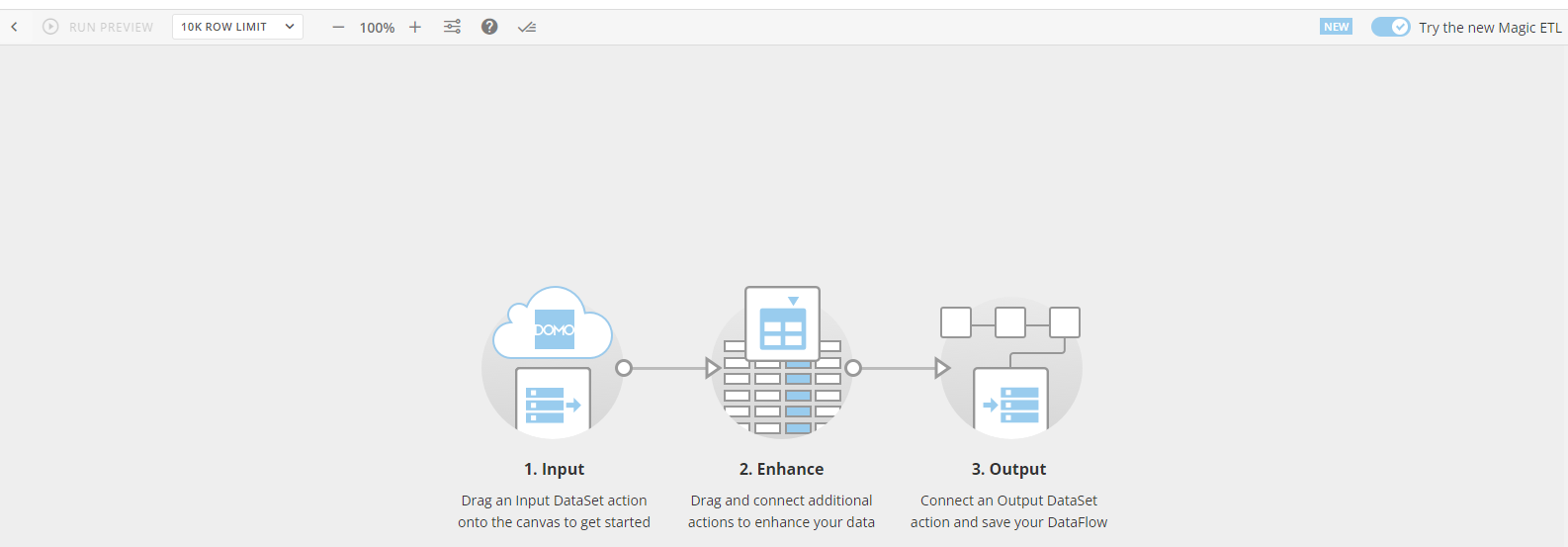
Hi @Abhijith, so when you have your empty canvas in the ETL, like the example below, you can then copy and paste Grant's code and it will automatically populate the tiles and dataflow.
 amehdad
Re: SAML Authentication in the Mobile App
Hi @Tow, you can enable SSO via SAML for mobile. From this article [https://domohelp.domo.com/hc/en-us/articles/360042934374-Understanding-and-Configuring-Domo-Single-Sign-On-Using-SAML]:
"Users of the Domo Mobile application can log in to Domo by entering their company's subdomain, then entering their IDP username and password in the web view. SP initiated authentication is required for the Mobile App to work with SSO."
This is what I can gather also:

where subdomain refers to what your organisation name is. Hope that helps.
amehdad
Re: Domo dependency (domo-java-sdk-all) issue
Hi @user017486, a 403 error comes about because users don't have access to the resource or the permissions were improperly set up by the owner of the web server and one is getting denied access when one really shouldn’t be. Perhaps there's some security level checks or version updates that can help with resolving the issue.
I would advise also to reach out to Support [support.domo.com] to have them look at it as well.
amehdad
Re: Api fails for filters
Alongside this thread and awaiting the advice of the technical adept users, reach out to Support [support.domo.com] to have them look at it as well (and escalate to Dev if need be).
amehdad
Re: How to output list which can't be joined
Hi @eriena, is your use case related to getting a list of products that don't have an assigned shop and then you (or other users) can go back to that dataset 2 to correct/update it? If so, you can have a full outer join (i.e. giving you all the records from both tables and joining matching records where possible) setup and then add a Filter tile to only include any rows where you have a product but no shop. So it would go: Join tile -> Filter tile -> Output tile.
amehdad
Re: Maximum Number of Rows that Can Be Displayed on a Card
Hi @Tow, I believe you'll get an error if the rows, from the dataset, coming into the card are typically more 100,000, and if you apply filters (in ETL or card) and/or set a number limit in the Chart Properties (see below), it should display without issues.

This is an excerpt from here: https://domohelp.domo.com/hc/en-us/articles/360042924214-Card-Building-FAQs:
You can now use the Limits Row command inside of the Analyzer to set values larger than would otherwise be possible. To keep the responsiveness fast on your Dashboards, the chart engine limits the number of rows it downloads to the browser. Now you can override these limits by explicitly setting these values.
amehdad