Best Of
Re: Can I take the Data Specialist certification with only a little experience outside of the training?
That is a difficult position you are in. Reading the KB articles and the Domo videos will help, but I personally learn best by being able to interact with the tools. One option you might want to look into is to request your own developer Domo instance. It is a full instance, but just for you to work in. You can request it here.
https://developer.domo.com/developer-trial-request
It won't have any data from your main instance, but it will allow you to import and create anything you want.
Hope this helps.

Re: How to Deal with Multiple Date Fields
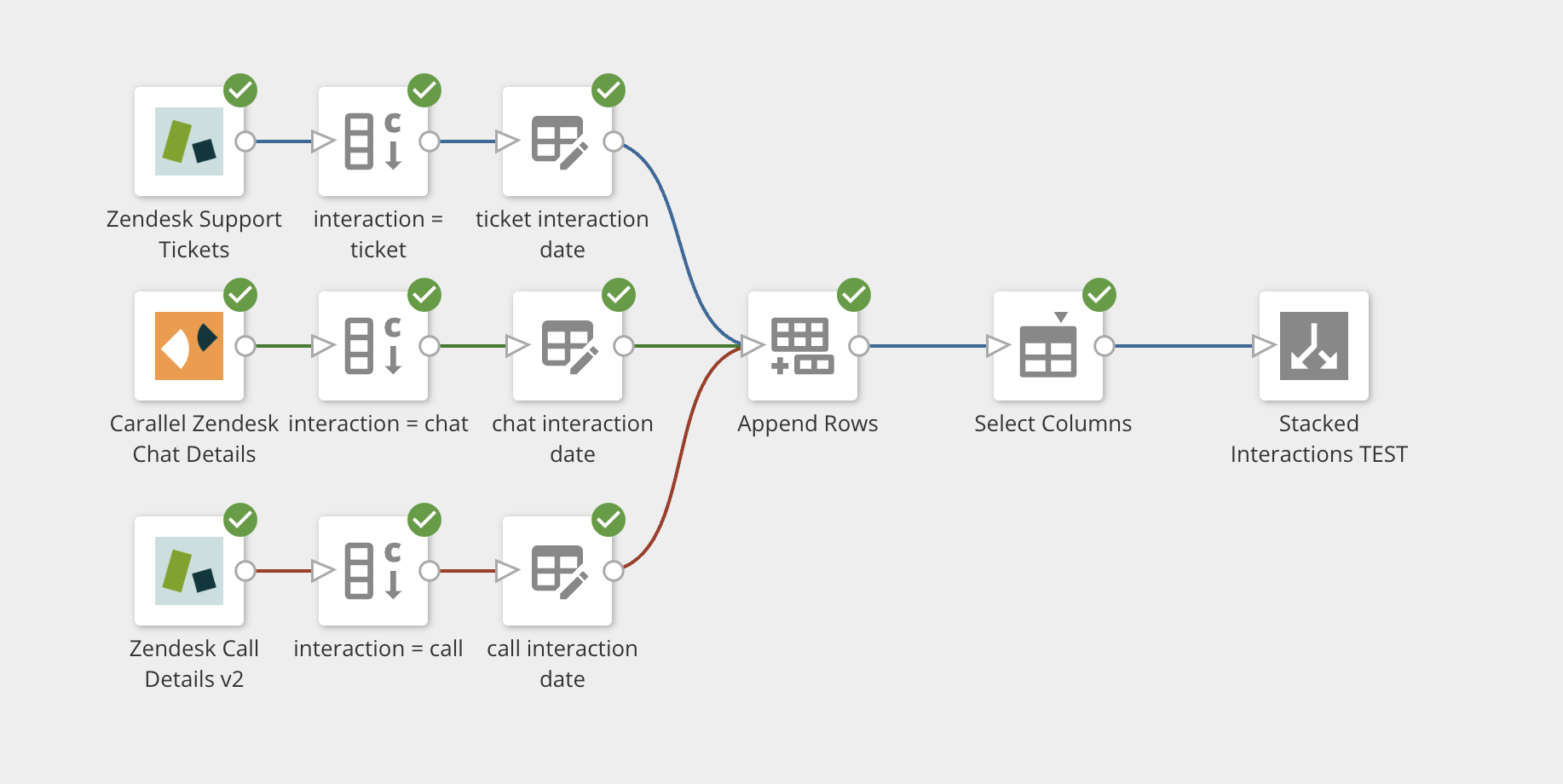
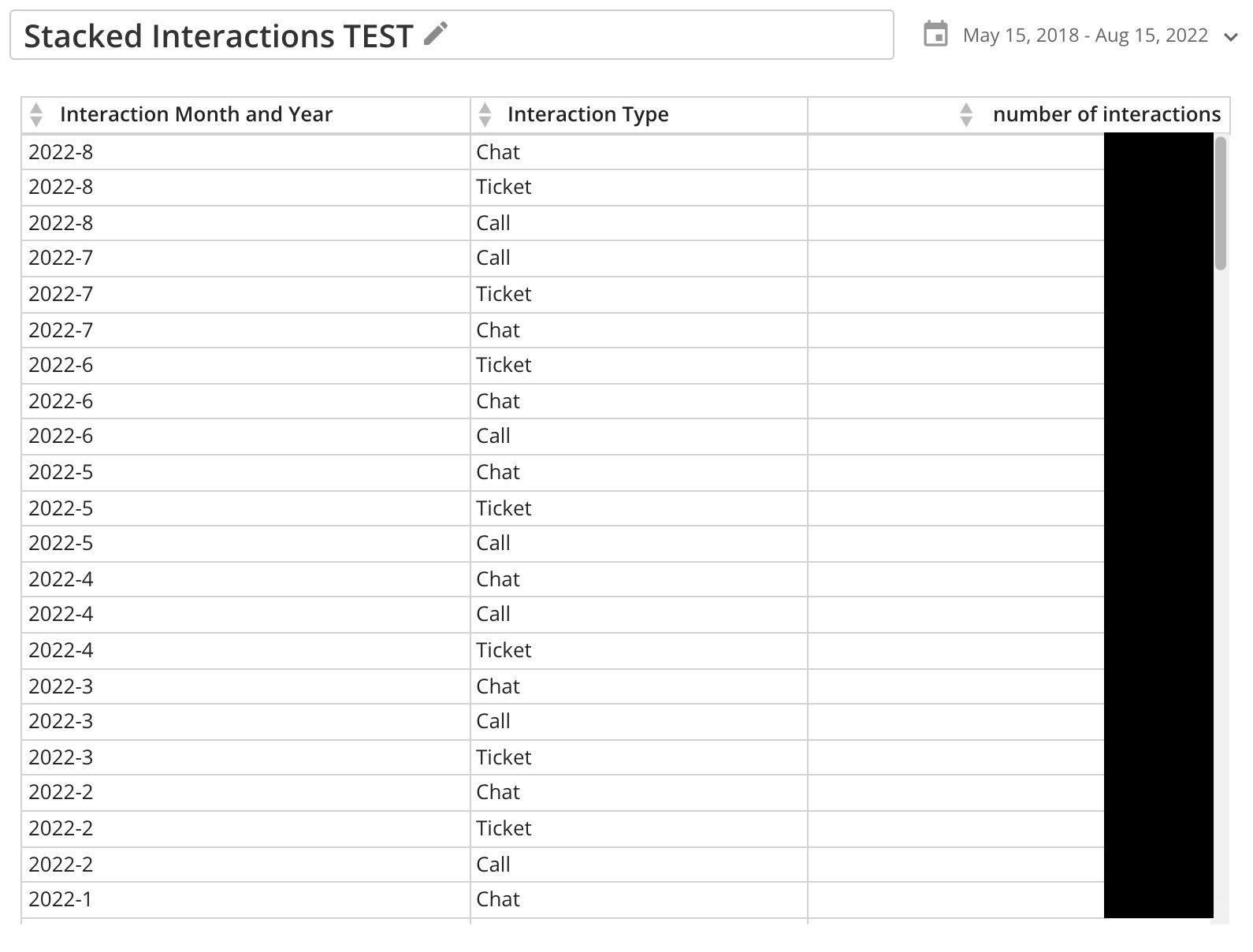
Got it. This is really helpful @RobSomers. I've already made some progress with a prototype using your suggested approach.
 pstrauss
Re: how to capture the current quarter using beastmode
You could do this:
case when QUARTER('Date')=QUARTER(Curdate()) and YEAR('Date')=YEAR(Curdate()) then 'True' else 'False' end

Re: Table of contents on dashboards
I think Domo's best practice for dashboards is to avoid having a long page that involves a lot of scrolling (and would require a TOC at the top), but have a landing page with some key cards and icons/images that would take you to additional dashboards. You can them them all the same so it feels cohesive. This Domo video is the best walkthrough I have seen to create that look.
https://www.domo.com/help-center/videos/watch/yXFS2uvD5Es/cat/PLc_JazWEwlVqiRoWcbD5My1Bw0_IpMX8z
Re: Current Year, Prior Year, and Budget on Same Card
https://www.youtube.com/watch?v=CDKNOmKClms
Here you go @user054650 . If you have further questions, check out some of the videos on my channel!
If you're looking for one on one support, I am available at a reasonable rate to provide consulting services, reach out to me at jae@onyxreporting.com.
BTW @GrantSmith , in your solution you put the offset in the Report Date column. The offset should go into the Activity Date.

Introducing Eddie Small - Director, Community Strategy!
We are excited to announce Eddie Small - our new Director, Community Strategy. Eddie comes to us from Instructure, Inc. as the former Sr. Mngr. of Customer Advocacy with extensive experience in building community programs. His motto of “enthusiasm breeds enthusiasm” was immediately felt as we met with him as he sought out new challenges. He begins his time here overseeing our community strategy (Dojo), creating relationships through university outreach, and building a framework around our new community advocacy program (Sensei). We can’t wait for him to share his expertise in higher education, developing customer advocacy, and creating engaging community experiences.
In a former life, Eddie had direct involvement with students and educators as an instructor and professional development coach - including eight years directing an audio & video production program. He now becomes a student working his way through all MajorDomo certifications to better relate to our community members.
Eddie works remotely in Indianapolis, IN. His wife Beth is a lifelong educator, and is the proud dad to his seven year old daughter. When not building best-in-class engagement programs he can be found working on his golf game, cheering on the Indiana Hoosiers, or tailgating w/ the Indianapolis Colts.

Feel free to welcome @eddiesmall in the comments below!

Re: Is there a reliable way to make Magic ETL intentionally fail?
You can use the ERROR function to cause the dataflow to error out with a specific message in a formula tile.
CASE WHEN `Number` < 0 THEN ERROR('Number is negative') END
The one caveat to this is that you have to save the ETL immediately after you enter this formula otherwise if it attempts to validate your ETL it won't allow you to save the ETL so if you need to make future changes you may need to remove the ERROR function, make the changes you need then add the ERROR function back and immediately save the ETL.

Re: Calculated Fields - Pipedrive ID's
You would want to use the formula tile in Magic ETL to do this type of conversion. If your list is quite long, another option would be to create a lookup table with a Domo Webform or a spreadsheet that has your IDs and the name you want them to be changed to. You would then use the Join tile in Magic ETL and join your main dataset with your lookup table. This allows you to updated the lookup table if new IDs are added or changed without editing your ETL.
Re: Page Level Date Filter nulling when not available in every dataset
@RobSomers yes i did use the arrow and select all datasets
@MichelleH i wanted to avoid using that global date filter as the use case is for users to select specific quarter ranges.
overall i found the issue: although i select all datasets when setting the page filter, upon using the date filter there is an additional dataset drop down option. I've now changed that to the 'most complete' dataset and the issue is resolved for me. I saved this new configuration with the default filter but still user is saying they are still having this issue.

It is also unfortunate that in this additional dropdown I am not able to multi-select.
crico