Best Of
Re: Configure filter options in app studio
@victoria_cantu009 In app studio, I have found this setting hard to get to, but here is how I do it.
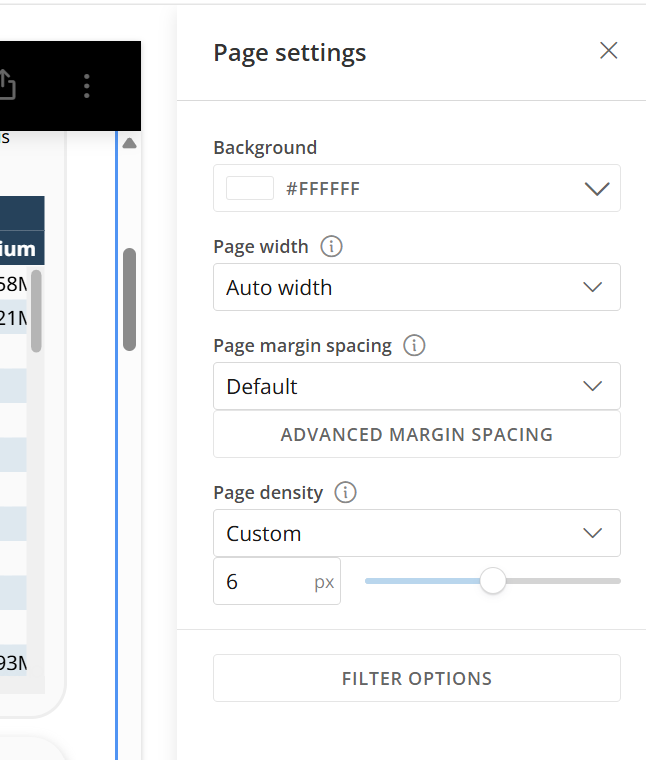
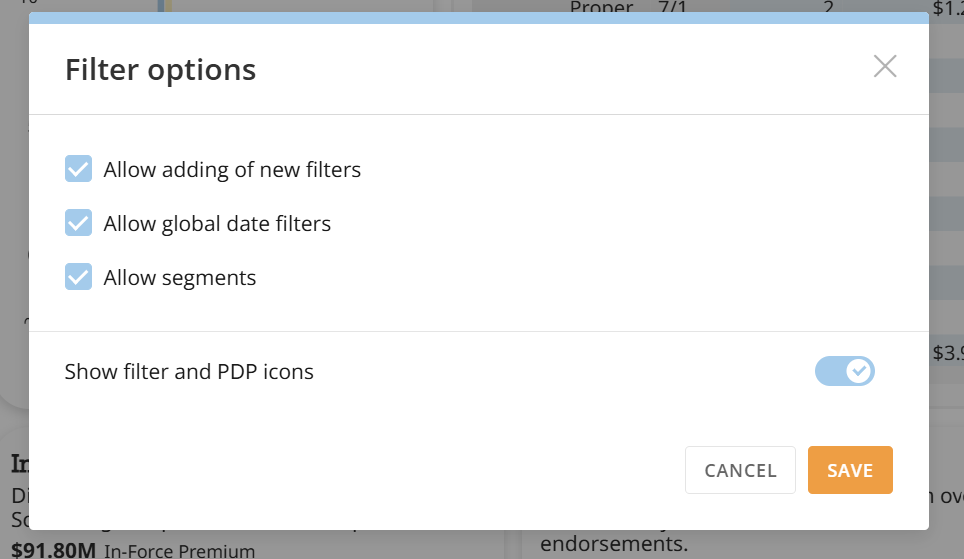
When editing your app, click in a whitespace area in your app. I tend to click on the far right of a card. This will open up the Page Settings and then you click on Filter Options.

Re: Set specific runtime for Enterprise Dataset Copy Job
Yes. My screenshot was from one of my Dataset Copy Connectors that I use. I don't recall if there is any feature difference between the Enterprise one and the Standard but I'm pretty sure you would have to create new access tokens, so that could be a pain depending on your setup.
Seems like it would be less painful for you to use Domo Workflows and execute your copy through their. There is an execute connector function in there that you can call, so your workflow would probably be really straightforward.
Glad you are enjoying the YouTube videos!
Re: Best way to Share Private Data with External Clients
@zacpolin as you've expertly outlined, there are a TON of ways to distribute data via Domo to external clients.
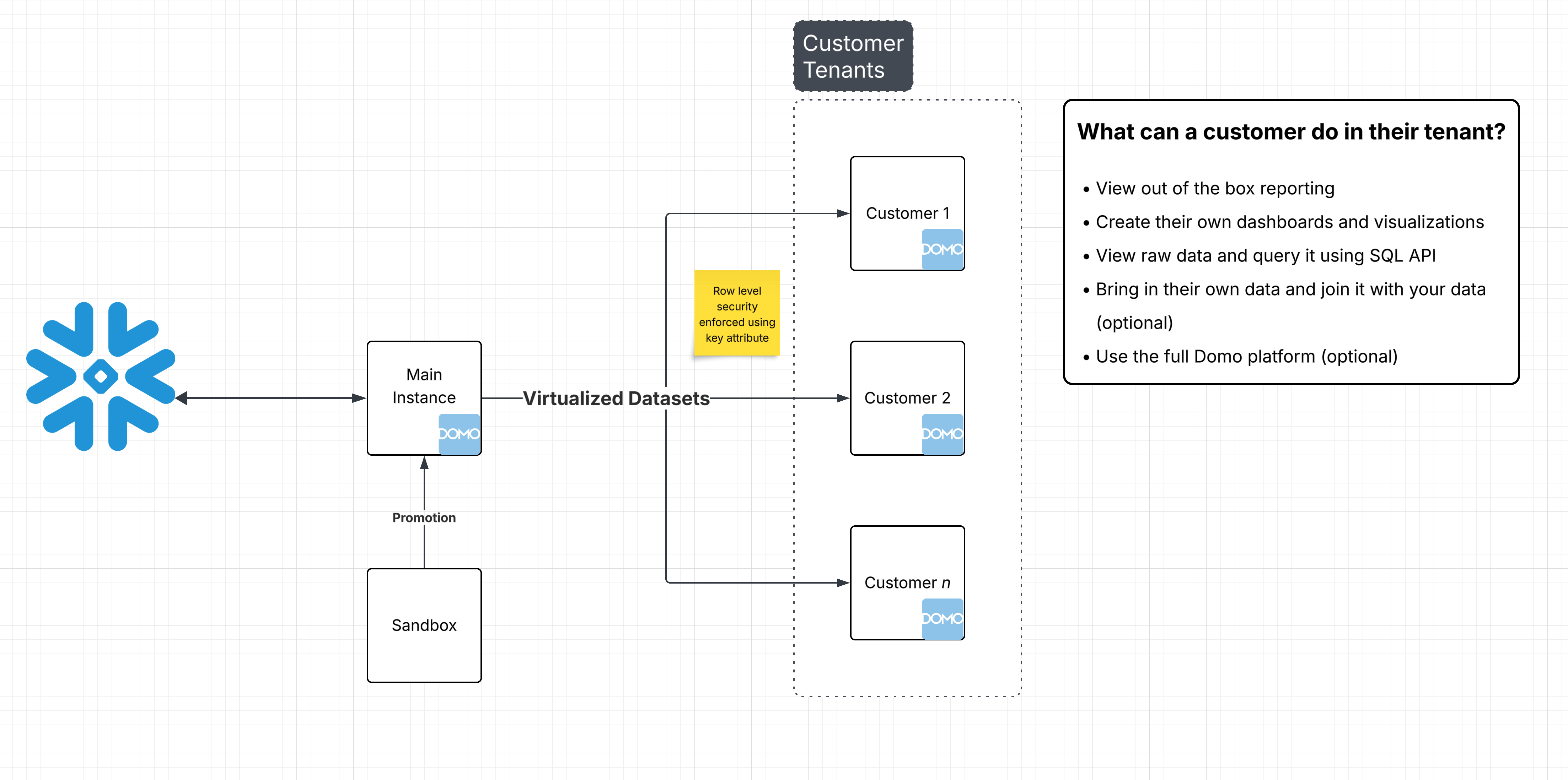
If you don't already have your own web app/portal, the easiest way (in my humble opinion) is to create subscriber instances and publish the required data using a publication (here's a KB article on how to do that: Publish content to a subscriber instance)
The overall architecture would look something like this:
 ellibot
Re: CORS issue when calling external API (Grok / x.ai) from DOMO Pro Code App
@Sailaja_Lokasani if you're wanting to call an external API such as Grok, you'll need to use a Code Engine function as a proxy in order to avoid the CORS error. Here is documentation on building a code engine function:
ellibot
Re: Allow Group Ownership for DataFlows
Yes, please. This would help tremendously with our team developing. We have shared output datasets as coowner so the group can edit the dataflow, however if edits require a new output, the editor does not have access to the new output dataset.
 dmurgit1
Re: Domo Clean Up - Best Practices?
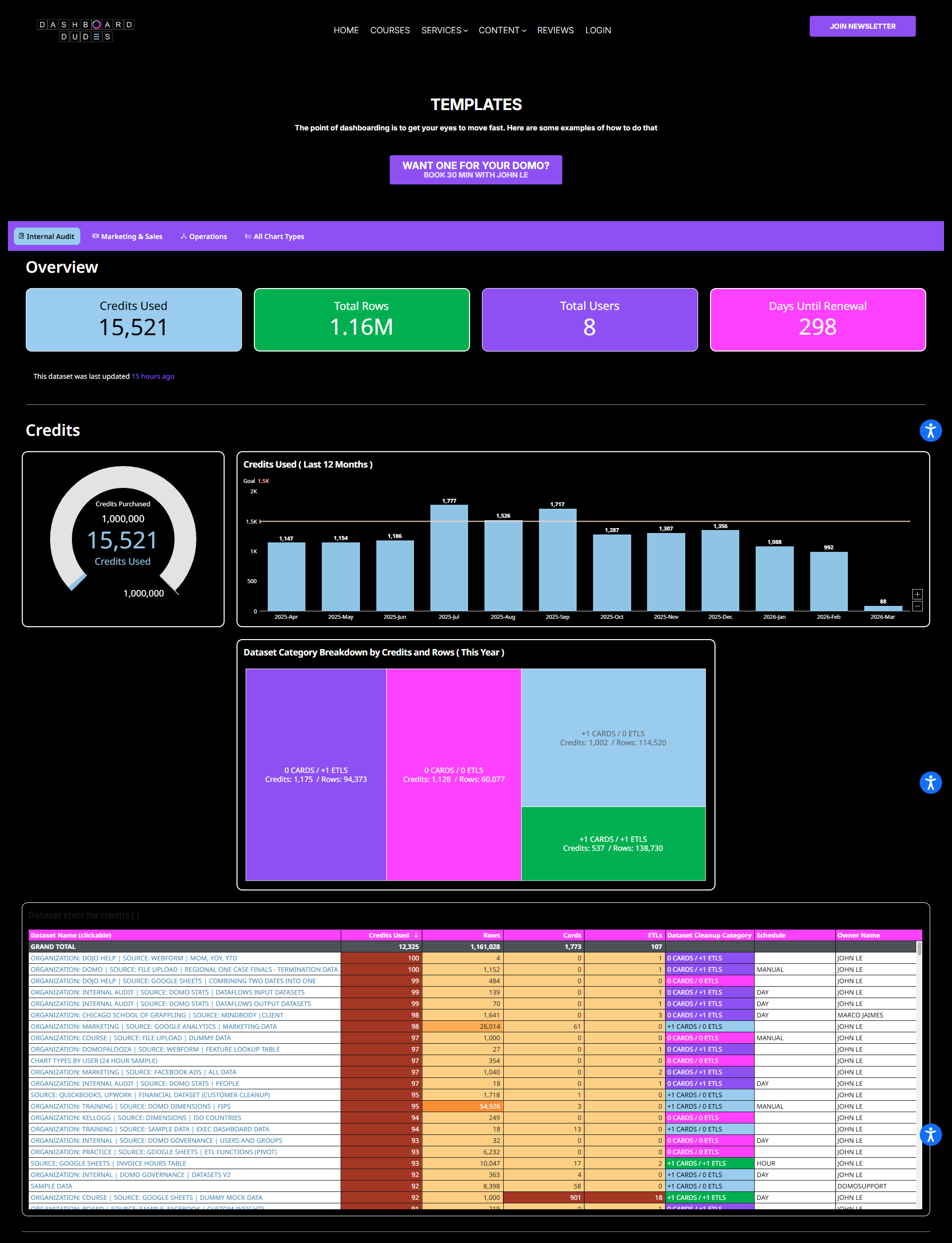
@Data_Devon I do these a lot and my first piece of advice is you need to understand how messy your kitchen is. I made this internal audit dashboard that I show cased at Domopalooza last year and I've made it for some people. It's been super helpful.
Here's the full thing:
Here's a snapshot:

Re: Domo Clean Up - Best Practices?
Hey @Devon this article provides the best walkthrough that I have seen on developing a plan to clean up your Domo instance. It breaks it down into manageable chunks.
Re: Can you choose which DomoGPT Model to use in an AI Agent in a Workflow?
Okay great. Using this Python code in Domo's Jupyter Workspaces:
import requests


DOMO_INSTANCE = "your_instance"   # example: company

DOMO_TOKEN = "YOUR_DEVELOPER_TOKEN"


url = f"https://{DOMO_INSTANCE}.domo.com/api/ai/v1/settings/services/sql/models"


headers = {

    "X-DOMO-Developer-Token": DOMO_TOKEN

}


response = requests.get(url, headers=headers)


if response.status_code == 200:

    data = response.json()


    print("\nModels available:\n")


    for item in data.get("domoProvidedServiceModels", []):

        model = item.get("model", {})

        print(f"{model.get('name')} = {model.get('id')}")


else:

    print("Error:", response.status_code)

    print(response.text)
I get:
Models available:DomoGPT - Medium v1.1 = domo.domo_ai.domogpt-medium-v1.1:anthropic
DomoGPT - Medium v1 = domo.domo_ai.domogpt-medium-v1:anthropic
DomoGPT - Medium v2.1 = domo.domo_ai.domogpt-medium-v2.1:anthropic
DomoGPT - Small v2.1 = domo.domo_ai.domogpt-small-v2.1:anthropic
GPT-4o = domo.openai.gpt-4o
DomoGPT - Medium v1.2 = domo.domo_ai.domogpt-medium-v1.2:anthropic
DomoGPT - Medium v2 = domo.domo_ai.domogpt-medium-v2:anthropic

Re: January & February Community Forum Recap
Congratulations @JasonAltenburg. Ten years, holy cow! I'm such as newbie.
I'm sure we all look forward to meeting @tjoyarz at Domopalooza. I wish him the best of luck in rounding up that 40% of us into some corner for greetings and a group photo.