Best Of
Re: Create a histogram
hi, would you please share the beast calculation, I am trying to design something like this.

Re: Create a histogram
Domo support,
Please add Data-labels for Histogram charts, there is no option to add it in "Properties"
Kindly add it as soon as possible.
Re: Create a histogram
Thanks hrh514,
I showed our Domo consultant what I was trying to do in excel and with a couple of data transformations using the beast calculation mode (one to define the bins and the other to define the sort order of the bins) I now have a perfect replication of what I need (actually better as I can filter by date more easily) Note the pictures below have different data channels
 Domo Histogram (all)
 Excel Pivot Table
What would then be spectacular would be a play button that I can add data through time to see how things are changing over time...as provided by the late great Hans Rosling as shown in the link below
http://www.gapminder.org/tools/#_locale_id=en;&chart-type=bubbles
Thanks,
Bob
Re: how to show a duplicate in a table graph
Hi @WorldWarHulk, going through 'Beast Mode Manager' [https://domohelp.domo.com/hc/en-us/articles/360042925474-Beast-Mode-Manager] is your best step for cleaning up your data as you may be highlighting an original beast mode among your duplicates (using Event time) which may not be used anymore whereas your duplicates are being used in other datasets. As time elapsed since first creating a beast mode isn't always correlated to inactive beast modes, using that table graph won't highlight whether your beast is still being used in a card or not.
 amehdad
Re: How to SUM working days correctly?
That is correct @jaeW_at_Onyx , but can be accomplished by getting a distinct list of employees and add another join in the process. Your denominator suggestion would require the same work. It would look something like this.
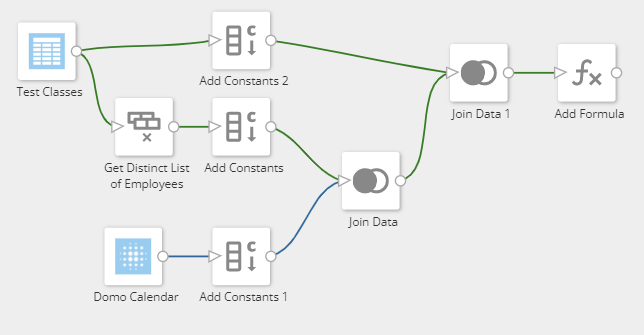
The Domo Calendar data would be on the left side of the left joins and your 2nd join would need to join on date and employee. The IsWorkingDay would be done in the formula tile and would look like this:
CASE WHEN DAYOFWEEK(`dt`) = 1 THEN 0 /*Sunday*/
WHEN DAYOFWEEK(`dt`) = 7 THEN 0 /*Saturday*/
ELSE 1
END
You would do another function for your call activity. Then it makes summing very easy in your card.

Re: Removing GUID from Columns.
It looks as though you want anything before the colon to be your new field. You can use the SPLIT_PART function to extract this:
split_part(`String`,':',1)
This will take everything before the colon and ignore everything else.
Re: How to tag a person in DOMO? Ex. I need to tag a person in a card. How can I tag that person?
You can use Buzz when viewing a card to @ mention someone to get them to look at a card.
https://domohelp.domo.com/hc/en-us/articles/360042925574-Chatting-in-Buzz
Re: Card not working
For any issues like this, one should check if Domo is down or having problems [https://status.domo.com/] and/or open a ticket with support [https://domo-support.domo.com].
amehdad
Re: How to build card|total headcount based on the Hire date and termination date
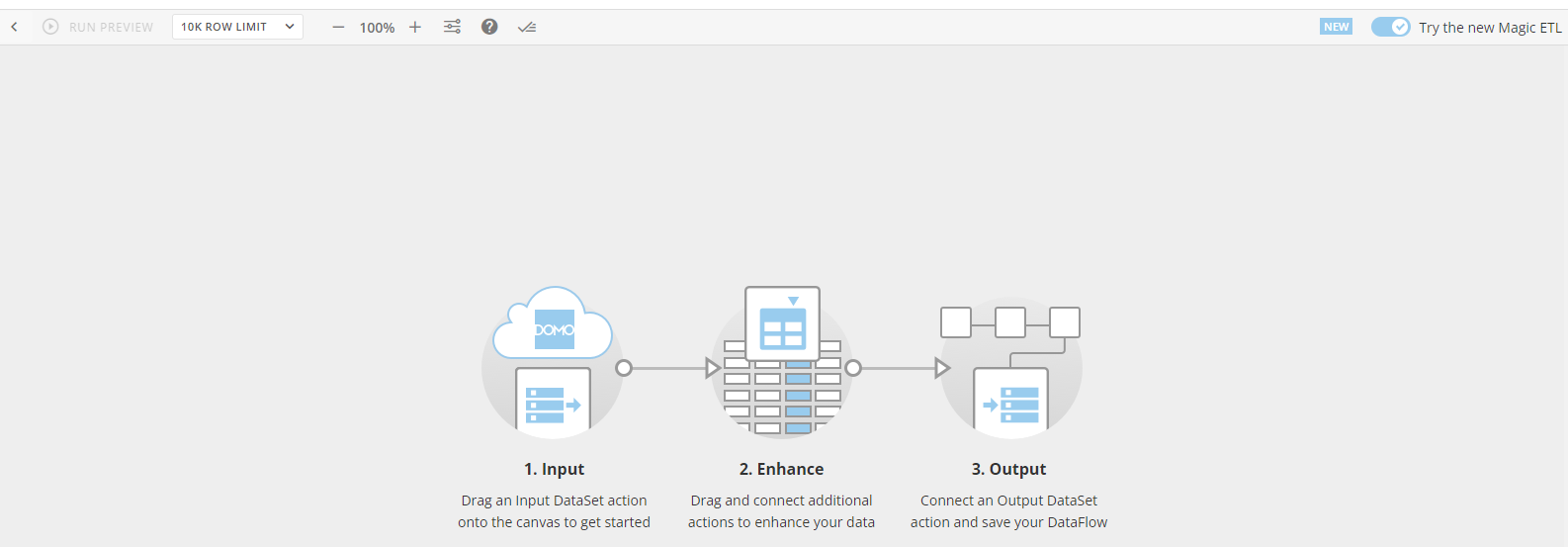
Hi @Abhijith, so when you have your empty canvas in the ETL, like the example below, you can then copy and paste Grant's code and it will automatically populate the tiles and dataflow.
 amehdad