Best Of
Re: How can I get my navigation back when working in a Magic ETL?
"Cancel" returns you to the rest of Domo. Or better: "Save" (without running) then "Cancel".

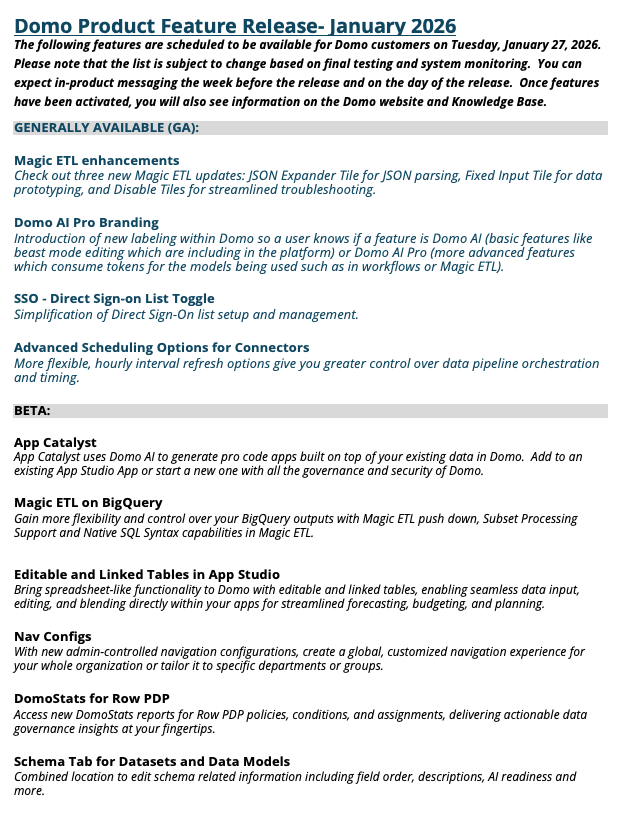
January 2026 Domo Customer Feature Release-Preview
Continuing a practice we started for last November's customer feature release and sharing an early preview of the features coming to your Domo instance in a couple weeks. Subject to final testing and system monitoring, but we expect these to be in your hands by the end of the month.

Re: Filter Out Incomplete Months
I greatly appreciate this question! It helped me identify the real issue. A beast mode with an "ELSE 0" was creating a data point when it should have been null 🤦. This community is awesome, and hopefully forgiving 😂. This, combined with Sean's Beast Mode clarification, got it across the line!
 Jessary
Re: Filter Out Incomplete Months
I think the easiest solution would be to create a beast mode to filter out the current month. Something like:
case when month_field > = date(date_format (current_date(), '%Y-%m-01')) then 'N' else 'Y' end
If you filter on the 'Y' values, the current month and future months should be removed. I guess you could just do the > if you just want to remove Feb.


Re: GetAccount method for Domo Accounts
Thank you @DanHendriksen this is exactly what I was looking for!
For anyone else in the future this is the checkbox in accounts that I was missing, I should have hovered over the tooltip!


Re: Setting up alerts for a card that groups orders by sending one alert per order
No, a SQL workflow cannot send emails. That's for transforming and writing data.
To send emails, I would use Domo Workflows - which is an automation feature that supports things like sending emails, AI integration, etc.
On the black ribbon bar at the top of this forum, there is a link that says Community Forums. Hover over it and a menu appears that has Events. Under Events you will see Event Recordings. I suggest you look through the event recordings for anything indicating workflows. The ones that start with "AI Academy" are mainly to show AI, but they do work with Domo Workflows.
Google John Le, Dashboard Dudes, he should have some great tutorials on workflows. @MarkSnodgrass may have some as well and jump in to comment.

Formula Editor Scrolling
Early last year, I reported an issue with the Magic ETL formula editor where it fails to function correctly once the amount of text requires scrolling. Because my data is healthcare-related, I’m unable to provide a screenshot.
When the editor scrolls, it no longer accurately tracks cursor position or properly highlights selected text. This behavior makes it extremely difficult—and unreliable—to work with complex formulas, such as those involving multiple CASE conditions or code translations.
Please address and resolve this issue.
Re: Remove row from dataset
Hello @Sean_Tully I think you may have a malformed csv or it may be in an encoding that is causing the issue you are describing. Likely there is a character that is not correctly escaped somewhere in the data. Would strongly recommend using a text editor like Notepad++ or a tool like reCSV if it is a large csv file to investigate what data is causing the issue.
IF the dataset is upsert enabled, the delete-rows command can be used, but would delete all rows associated with the upsert keys provided. This sounds like it may be problematic based on how you stated the dataset was showing up.
If the dataset is not upsert enabled, I do not think there is any command in the Domo CLI v3.32.97 to do what you are requesting. The only option would be to fix the file as I have recommended, then full replace the data with the clean version. You can use clear-data to remove everything but the schema/headers, and then upload-dataset with no -a to do the full replace.
Example:
clear-data -i 3a8f6ba5-a937-41a3-ac14-adb3f52e9639
upload-dataset -f store_sales_dataset.csv -i 3a8f6ba5-a937-41a3-ac14-adb3f52e9639
Re: Sharing custom themes in App Studio
While the ability to import/export custom themes into Apps has been added, there is still a gap in functionality in the ability to share themes more easily with a group of users (or the whole business). When creating a new app, there is a tab to select Custom Themes but it's always empty!
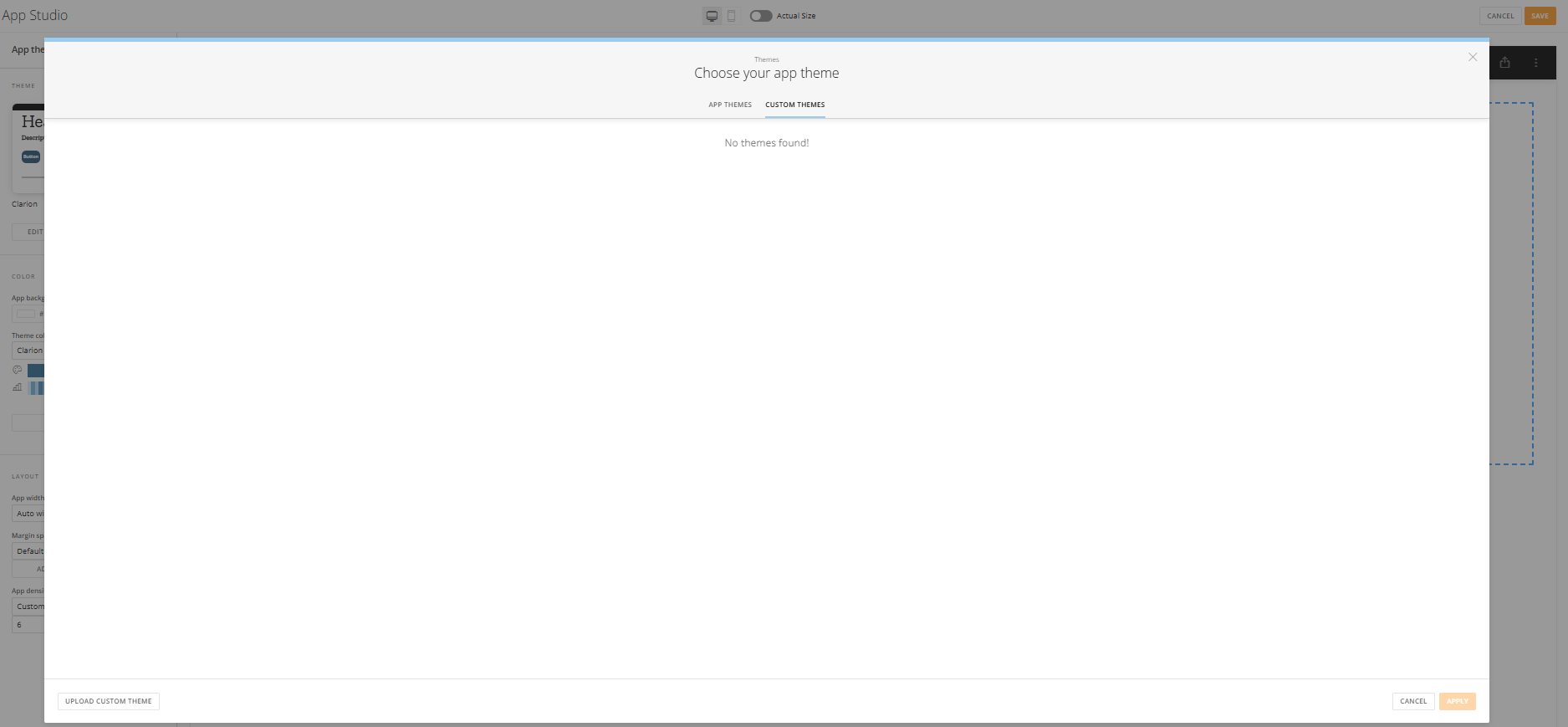
It would be great to be able to have this screen populated with pre-built custom apps for users to select. It would also be great to then have these custom themes to be able to be adjusted/updated and have them roll through onto all Apps that use them. This will allow updates to corporate themes/colours to be rolled out quickly and easily. At present, an update to a custom theme would require users to individually go into each App and upload the new version of theme in order to update the Apps.
 MartyR