Best Of
App Studio Report that mirrors app
A lot of additional maintenance is required to keep parity between an App Studio App and a Report built in Report Builder (app studio scheduled report). I love the ability to customize a report from an App, but an option also needs to exist to just mirror the content between the App and the Report. Right now, each time a new card is added to an app, I have to go in and add it to the report as well. If I remove a card from the App, I have to go remove it from the Report as well.

Move or Copy Card for App Studio
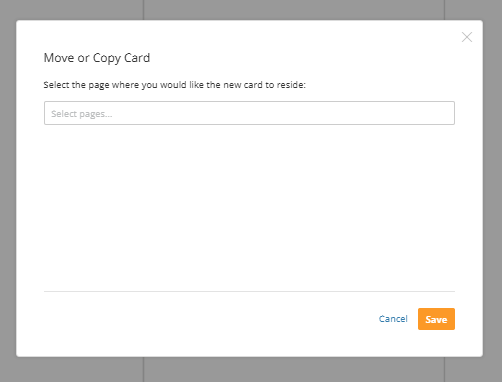
Currently, the "Move or Copy Card" on card settings only allows you to move/copy the card to a dashboard. It would be nice to move/copy cards to App pages as well and see where the cards live from this page (instead of going to the admin center).
 JK1
JK1
Ability to edit/change legend labels in period over period charts

Being able to change the legend labels in a period over period chart tyoe would make a huge difference in my workflow day-to-day. Instead of having to write multiple beast modes and adding them to series just to have the ability to have a dfferent legend label show up is too much work for what it does. Allow the ability to edit the legend labels like you can for x-axis and y-axis!
Sync with Cloud should only refresh single dataset
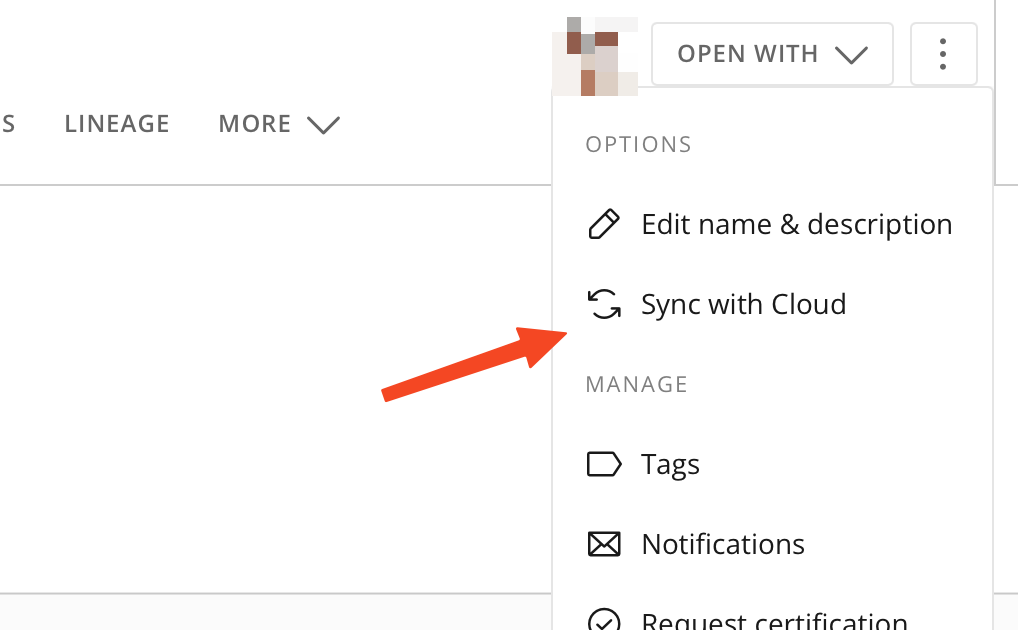
We have noticed that if you go to a dataset and hit "Sync with Cloud", it's not only refreshing the chosen dataset but it does so for all the tables in the Cloud Amplifier integration. This can have unexpected side effects and additional lookup costs on the Snowflake side and trigger downstream ETLs.
The manual refresh button on datasets should be separated from the integration itself and should only refresh the targeted dataset.
Now it is misleading, as it is an option for the datasets an not the whole integration. In reality, it does quite the opposite of what we would expect.Thank you for supporting this request!
 nsonny
Beast Mode/Formula Editor - Resize Sections
Depending on the size of your screen, there are a limited number of visible rows in the "Calculation" section of Beast Mode Editor and Formula Editor in ETL. That sometimes requires a lot of scrolling to see the entire formula. It would be helpful to be able to collapse or resize the "Columns", "Functions", and "Function Description" sections to maximize the number of code lines visible.

Add Magic ETL Runtime History to History tab
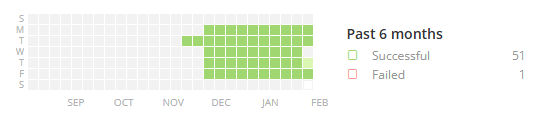
The current magic ETL history page for any particular ETL shows the run successes near the top of the page, in a style that looks similar to a history of git-commits. Hovering over a square shows the number of successful runs on that date. We would like to implement some method of process control visible to all domo users and feel that this space would be a good location to start.
I think that a more useful purpose of this space would be to show the run time history of that ETLs executions as a process control chart. Instead of showing green squares to indicate that date had a successful run, can this instead be a time chart that shows that last n-number of runs and (on the y-axis) show the run time for those runs? Each run can be marked via a point on a trend line, and each point can still be marked red or green for success or failure.
This still allows users to see the same information of run success status, but also provides the run time as a trend over the last n-number of runs. This is helpful to identify ETLs that are starting to uptick in process time, or identify ETLs that happened to take longer than usual.
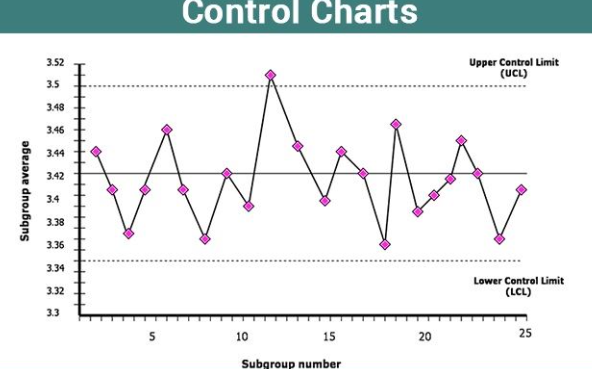
Attached is an image of a Control Chart that displays the idea behind statistical process control. The x-axis would display the start times of magic ETLs and the y axis would be the execution time. Ideally, we would be able to apply control limits to these charts and set alerts on them, giving us full SPC capability within Domo!
 charlieV_OAP
Run Specific Outputs vs All
I would love to see an option when you click run on a MagicETL that there would be a drop down where I can choose to run all the outputs or only specific outputs. This would be an absolute game changer for credit usage and consumption model management. Some of our ETLs have 10 outputs and we are making a small change to one (example, I recently add three columns to one output, that's it) and I had to run it and instead of just running for the one output the ETL now runs for all 10 even though nothing has changed.
 Francis