Best Of
Re: Dojo Contest is LIVE!
I love seeing other users' use cases and innovative ways that Domo is being used. Dojo is a great place to connect with others, learn about Domo, and get questions answered.
 zcameron
Re: Embedded card leads to login page
Hi @Kenn
Private embed requires the user be authenticated with the Domo platform in order to view the card. You could try public embed however anyone with the URL link can access that page/card.

Re: Remove Rows from A dataset
This should be done in dataflows. There needs to be data integrity and audit trail in place. Deleting rows from source data is a slippery slope, not suitable for an enterprise platform.

Defining Custom Color Palettes
It would be nice to be able to define custom color palettes to choose from. I don't mean the ability to set color rules on datasets or cards, or the white label features in embedded analytics. I mean adding your own palettes to the color picker for internal dashboards.
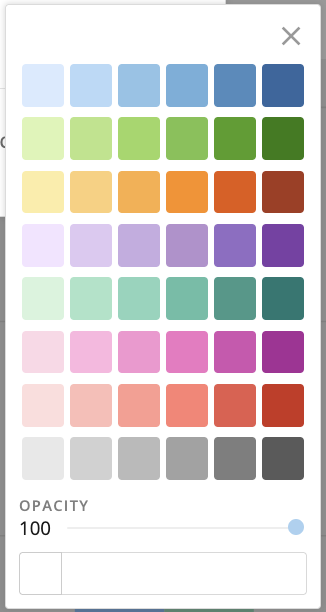
Right now, having to use hex codes for everything is a bit of a nuisance and it would be nice if I had additional color schemes of my choosing readily available. I see this has already been requested in multiple threads, can these all be merged so the votes for this feature can be correctly represented?
 MosesWynn
Re: Does anyone know how to build this card in the covid dashboard?
That is the scatter card type under Data Science. You can build it by putting your state/region in the X-Axis. Use a day calculation in the Y-Axis, such as DATEDIFF(CURDATE(),'dt') . Put your measurement, such as total infections in the Bubble Size field. You can add the state/region in the series to make different colors.
Here is a quick mockup using the Domo COVID Time Series Tracker Data dataset.


Re: Filtering using BeastMode with a plus
You might be able to get all of the data via a segment however you can't do an inverse filter like you're wanting to do.
https://domohelp.domo.com/hc/en-us/articles/4403089503383-Creating-Segments-in-Analyzer
Re: Recursive Issue Help - New Magic ETL 2.0
Hi Mark,
Your method worked, but the under-lying issue for me was that I was a filtering (Date) which seems to have change format during transformation and as result messed everything up for me. Domo is so powerful and unforgiven, but thanks again for your time and effort.🍻
 RichYute
Re: Total row sum % instead of doing the % calculation
Hi @Adrien
the total row is calculated on the card after the beast mode is calculated so it’s adding your percentages instead of calculating your total percentage.
if you want a total row you need to use an ETL to group your data together and sum all your columns using a group by tile then using an add constant tile put the value of total in your label field then append this row to your original dataset. Now your beast mode will work for the “total” row without telling your card to do the total row on it (it’s now included in your dataset)
Re: COUNT(DISTINCT *) desconsidering only one filter
you cannot do a count distinct across all your cities even with a window function.
the window function would calculate count distinct for EACH city, and then take the average, min or max as you've tried already.
unfortunately (as i'm sure you've figured out) if i have the same retailer code in multiple cities, it would double count.
what you would have to do is restructure your data. easiest thing to do would be to UNION the entire dataset onto itself such that the second grouping contains 'All Cities' in the City column.
then you can construct your metric using beast modes
count (distinct case when city <> 'all cities' then `retailer code`)
/
max(count (distinct case when city = 'all cities' then `retailer code`)) over ()

Re: COUNT(DISTINCT *) desconsidering only one filter
Filters will apply to all rows in your dataset so what you’re wanting to do isn’t possible. You might be able to get around it using a segment and tell it to not apply those filters you wish to ignore.